AI image editor for directed transformations
Bring one image you own or are allowed to use, describe the exact change, and keep everything else stable. The public page prepares the edit; the authenticated workbench handles the same-origin upload and generation.
Public and SEO pages only GET-prefill the workbench. They never submit a generation.
Official edit proof
The before and after are produced and owned by Kanvora. They demonstrate the review format, not a public upload gallery.
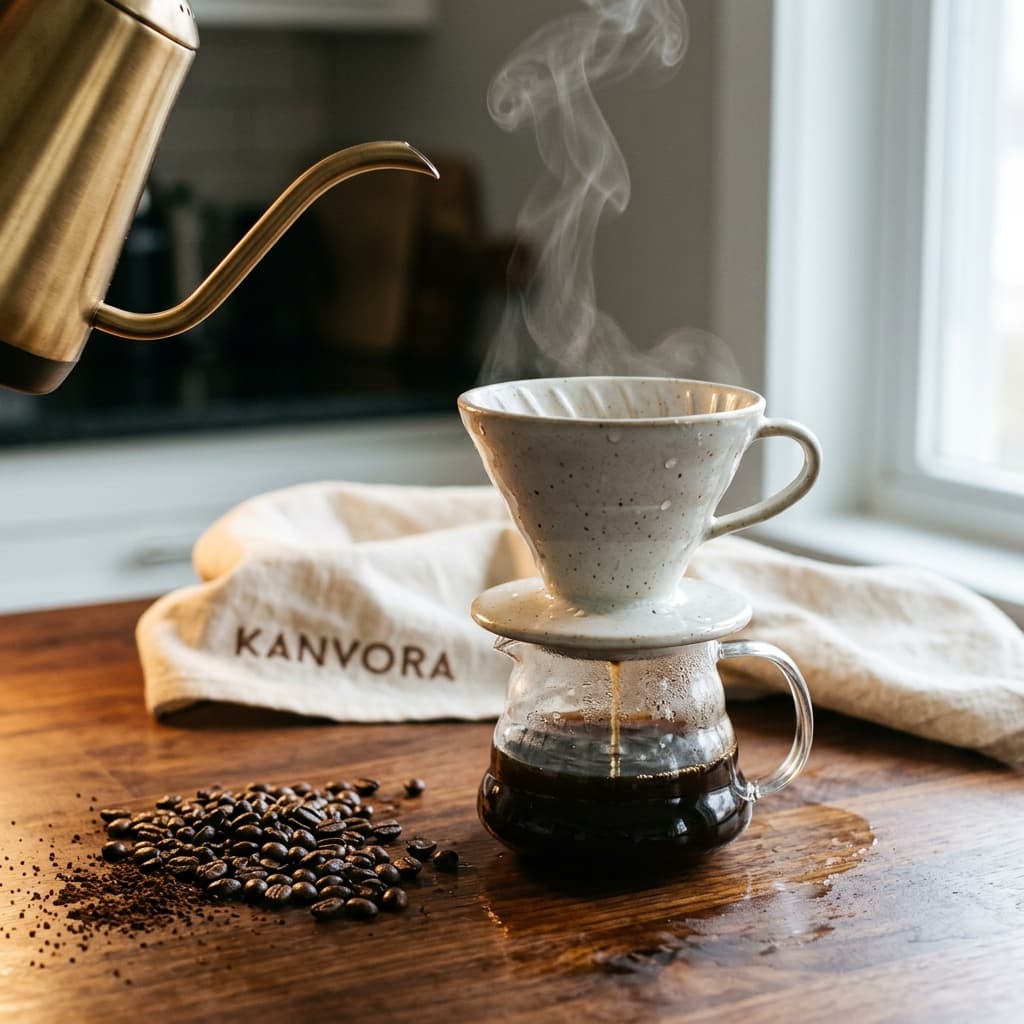 Before
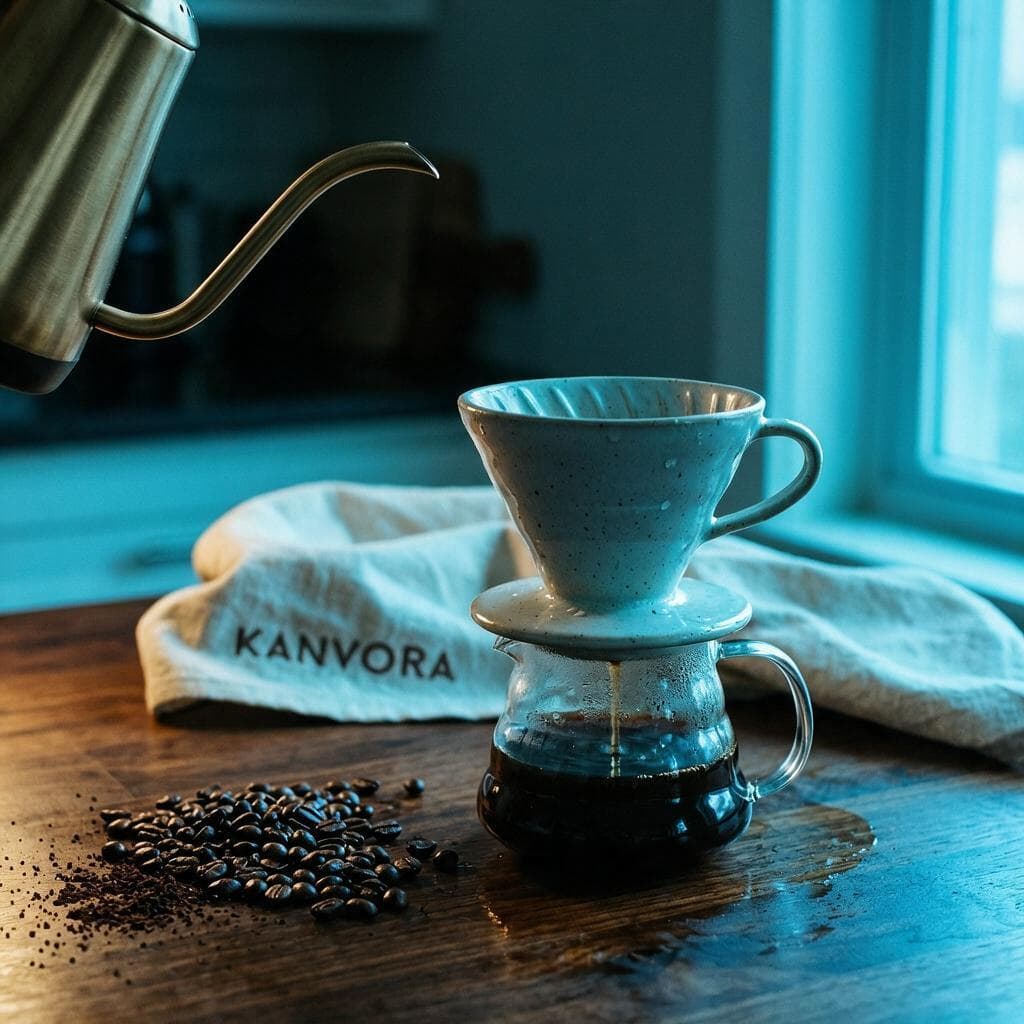 After
AfterKeep the same ceramic pour-over dripper, glass carafe, brass kettle, coffee beans, walnut counter, camera position, cream linen towel, and the embroidered word KANVORA unchanged. Do not change silhouette, part count, or placement of any of those objects. The towel stays cream linen with the same coarse weave; do not change its material or color. Change only the time of day to blue hour. Light: cool cyan window fill from camera right, raking across the dripper glaze and the glass carafe so speculars turn from warm tungsten to mixed cyan and dim amber; a weaker tungsten key remains at camera left, low enough that the steam ribbon is gone. Walnut grain still reads. Tiny water droplets on the ceramic stay. Coffee-oil sheen on the beans stays. No new practicals, no extra window, no added lamp. Atmosphere: no steam, no fog, no extra haze. Air is clear and cooler. Lens: same shallow 50mm look, same focus plane on the dripper and carafe. Do not add hands, extra objects, logos, or watermarks. Do not change the dripper, carafe, bean pile, kettle, or towel.
No user upload or unrelated output is substituted here.
From direction to stored proof
The public page prepares the route. Authentication, reference upload, moderation, credit hold, provider queue, and private storage stay in the real workbench.
- 1
Choose an owned reference
Use one JPEG, PNG, or WebP that you have permission to process.
- 2
Name only the intended change
Separate what must change from the composition, identity, and details that must stay fixed.
- 3
Review the locked pair
Compare before and after at equal height, then reject any unintended change before reuse.
Capability boundaries
Stop rules protect the proof, the credit balance, and the meaning of the official showcase.
- No mask, region box, layered file, or multi-image blend is exposed.
- The public route never uploads or generates. It GET-prefills the authenticated workbench.
- A visually plausible edit can still change facts, marks, or identity and must be reviewed.
Frequently asked questions
Does this page upload my image?
No. Upload happens only on the authenticated same-origin workbench after you open the prepared route.
Can I edit only one selected region?
No. Kanvora does not expose a mask or region-selection control in this workflow.
Open the prepared route in the authenticated workbench.
The operation, model, and prompt travel by GET. Upload and generation remain behind the signed-in spend boundary.