AI poster generator from text
Turn a written brief into one poster- or flyer-style 2K still with Seedream 5.0 Lite. Use the recipe below to control hierarchy, choose the right frame, and know when a layered design suite is the better tool.
Kanvora creates a raster still from text. It does not provide editable layers, brand kits, logo upload, font management, reference-image editing, or print-shop PDF certification.
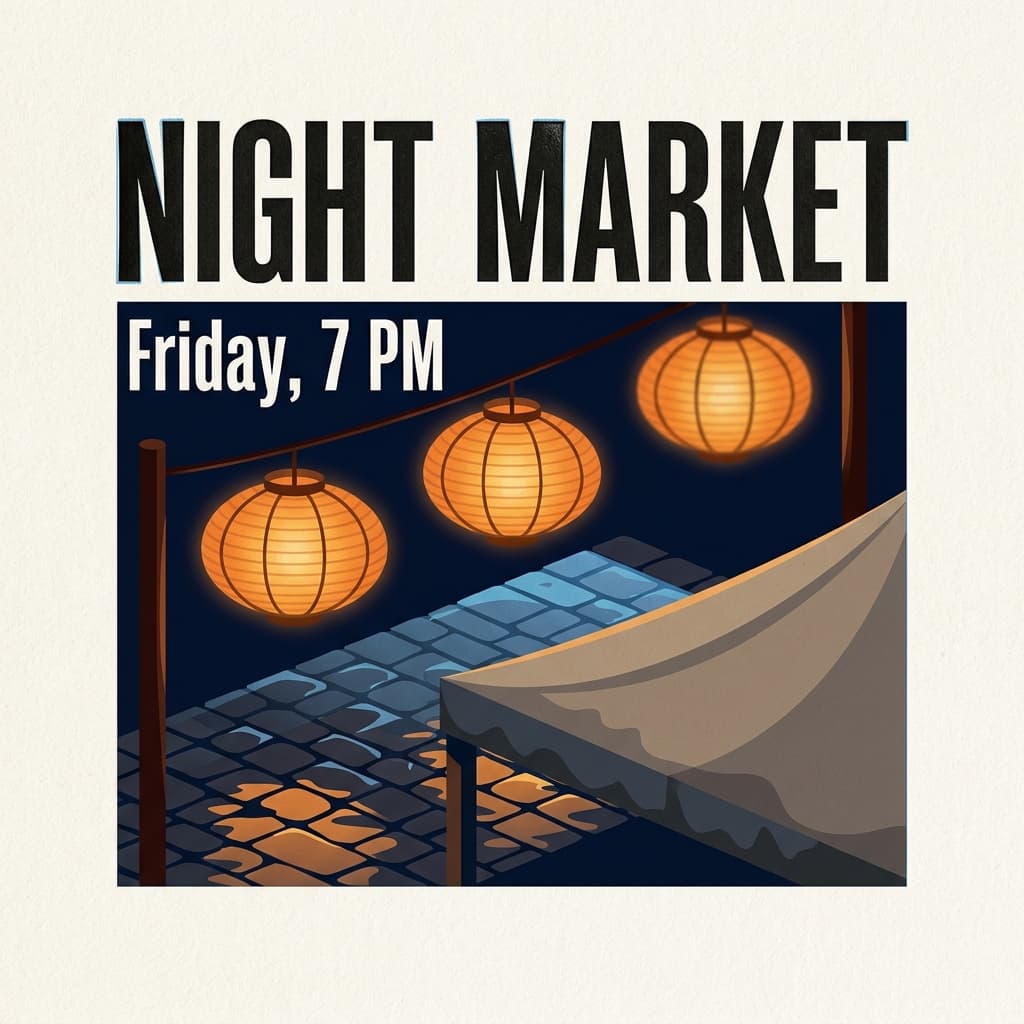 AI-generated · Kanvora official
Create a square event poster printed on warm cotton paper, 1:1. Headline text (exact): "NIGHT MARKET" Subhead text (exact): "Friday, 7 PM" Those two lines only, condensed gothic, carbon black, perfectly spelled, large headline filling the upper third. Visual subject: three oiled rice-paper lanterns on thin bamboo ribs hanging above an evening market street; wet dark-granite cobblestones; one canvas stall canopy edge in the lower third, rain-dark at the hem. Style: bold flat illustration with crisp geometric shapes, letterpress bite in the type, slight ink squash on the N and M, one faint registration hairline, visible cotton-paper tooth. Light: deep navy night sky, warm 2200K lantern glow pooling on the street, a thin cool skylight raking the wet stone, no extra neon signs. Atmosphere: a light rain sheen on the cobbles; no fog that hides the type; no people; no steam. Lens: straight-on poster camera, generous empty margins, type sharp, lanterns slightly softer. Must include: only those two exact lines of type, readable hierarchy, paper tooth, lanterns, wet stone. Must avoid: extra words, sponsor logos, watermarks, QR codes, people, tiny paragraph text, fake dates, signatures, stamps.
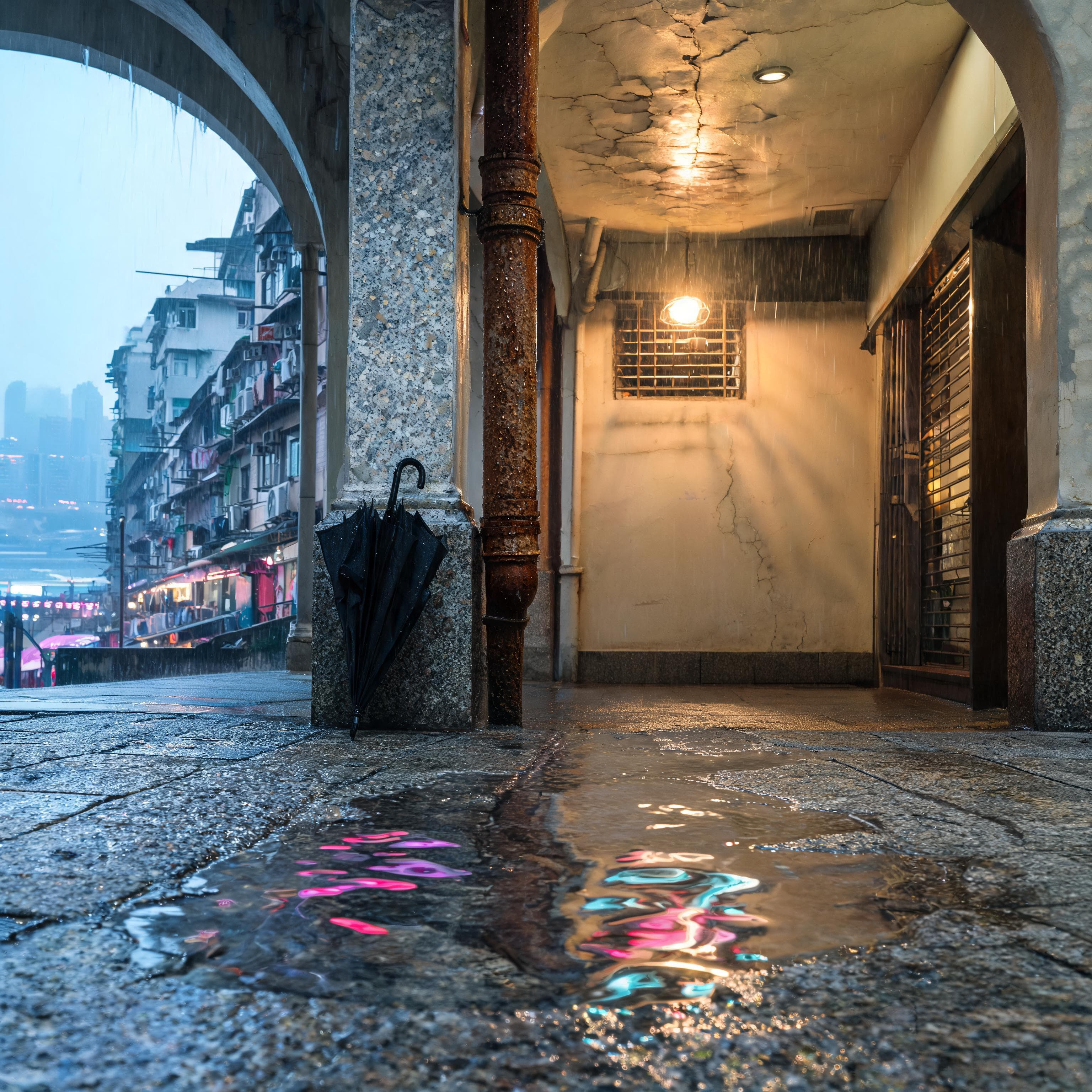 AI-generated · Kanvora official
Photoreal cinematic still of an empty rain-wet Mid-Levels stone arcade just after dusk, Hong Kong. Square 1:1. No people, no faces, no shop names. Foreground materials: pitted granite pavement with a shallow rain sheet; magenta, amber, and cool-cyan neon from the far harbour swim across the puddle as broken ribbons, not as type. A rusted iron downpipe beads with dense condensation; mineral sparkle in the wet stone; one forgotten black nylon umbrella leaning against a chipped terrazzo column, fabric darkened by rain. Mid-ground: a vaulted covered walkway, peeling cream plaster with hairline cracks, a single tungsten shop-light still on behind a metal grille, wet tiles catching the bulb as long speculars. Humid volume light hangs in the vault. Far: through the arcade mouth, a layered urban canyon, laundry poles, rusted air-conditioner units, the harbour reduced to a dark lead strip of light in thin mist. No readable signage. Light: low-kelvin tungsten in the vault as the key, distant magenta neon bounce, a thin moon-blue skylight mixing into humid air. Shadows stay attached to the column and the downpipe. Atmosphere: rain, thin mist, no fog bank that hides the vault. Lens: 35mm, f/2.0 falloff, slight low angle, focus on the puddle and the downpipe droplets, background lights as soft bokeh. Restrained palette: rust, tungsten, cyan, granite gray. Must avoid: people, faces, readable signage, logos, watermarks, poster layout, extra architecture that hides the arcade vault, added props.
Use the diagram as a layout guide
Keep exact headline hierarchy and production limits separate from the official model outputs above.
Prepare the brief before spending credits
A compact input is easier to inspect and revise than a dense paragraph of poster copy.
Kanvora exposes only prompt and aspect ratio, so all useful direction must fit inside the text brief. Lock the words that matter, simplify the composition, and remove requirements that depend on uploading an existing asset.
- Poster job: event, product launch, meetup, or another single still-image announcement.
- Exact headline: preferably one short phrase that can dominate the frame.
- Supporting line: one date, time, place, or compact description.
- Visual subject: one primary scene, object, or illustration idea.
- Style and background: enough direction to establish the visual language without overloading the brief.
- Exclusions: tiny paragraph text, watermarks, extra words, and logos you do not own.
Use a prompt recipe that creates hierarchy
The order separates exact text, visual subject, style, and constraints so each can be reviewed.
Put the exact headline and subhead in quotation marks. Ask for clear hierarchy and generous margins, then tell the model what to avoid. This structure improves revision quality, but it does not guarantee correct lettering.
Poster type: [event | product launch | meetup]
Headline text (exact): "[short headline]"
Subhead text (exact): "[date, time, place, or one supporting line]"
Visual subject: [one clear subject]
Style: [flat graphic | photographic | illustrated]
Background: [color, setting, or texture]
Must include: clear hierarchy, readable headline, generous margins
Must avoid: tiny paragraph text, watermarks, logos you do not ownThree filled prompt skeletons
Use these as structures, then replace every detail with your own brief. The examples demonstrate input shape only.
Create a portrait event poster.
Headline text (exact): "NIGHT MARKET"
Subhead text (exact): "Friday, 7 PM"
Visual subject: paper lanterns above an evening market street
Style: bold flat illustration with crisp geometric shapes
Background: deep navy with warm yellow light
Must include: large headline, clear text hierarchy, generous margins
Must avoid: sponsor logos, watermarks, tiny paragraph text, extra wordsCreate a square product launch poster.
Headline text (exact): "MEET ARC ONE"
Subhead text (exact): "A focused desk light"
Visual subject: one sculptural desk lamp on a clean plinth
Style: precise studio product photography
Background: pale gray seamless paper
Must include: centered product, strong headline, restrained spacing
Must avoid: brand logos, feature lists, watermarks, extra productsCreate a 3:4 community meetup poster.
Headline text (exact): "FIELD NOTES NIGHT"
Subhead text (exact): "Thursday, 7 PM"
Visual subject: notebooks, pencils, and pressed leaves on a long table
Style: tactile editorial collage
Background: warm paper with carbon-black type
Must include: readable headline, one supporting line, generous margins
Must avoid: sponsor logos, tiny text, watermarks, extra datesChoose the ratio for the placement
These recommendations map directly to the five ratios available on Kanvora.
Start with the destination, not a favorite shape. A ratio controls the raster frame only; it does not add safe areas, crop variants, bleed, or a multi-size campaign file.
| Placement | Choose | What to check |
|---|---|---|
| Square social feed | 1:1 | A flexible default when the destination is square. |
| Portrait feed or flyer-style frame | 3:4 | More vertical room without the height of a full story frame. |
| Story or tall mobile placement | 9:16 | Check that the headline stays large enough on a phone. |
| Landscape announcement | 4:3 | Useful when the subject needs width but the frame should remain compact. |
| Wide banner-style placement | 16:9 | A wide raster image, not a layered document or print-ready PDF. |
These are placement guides, not platform specifications or print guarantees. Confirm final dimensions with the destination where the image will be used.
Run the complete poster workflow
Every step has a continue condition and a reason to stop, revise, or switch tools.
The workflow is brief, but the review step is not optional. AI-generated lettering can look plausible while containing the wrong word, digit, or punctuation.
- 1
Lock the message
Write the exact headline, one supporting line, visual subject, style, background, and exclusions.
ContinueEvery required word can be compared with a source brief.StopThe poster depends on dense body copy or an uploaded asset. - 2
Choose the destination ratio
Select one of the five live ratios based on the first placement you need.
ContinueThe selected frame matches the destination.ClarifyThe destination dimensions or crop behavior are unknown. - 3
Sign in and submit one generation
Google sign-in opens the authenticated bench. One Seedream 5.0 Lite attempt costs 3 credits.
ContinueThe job is queued and the 3-credit hold is visible.StopDo not expect an anonymous poster generator on this public page. - 4
Wait through uncertain queue states
QUEUED and RUNNING mean the original job is active. UNKNOWN means Kanvora is reconciling an uncertain provider response before any safe retry.
ContinueA stored output appears after success or partial completion.WaitDo not submit a duplicate while the original job is UNKNOWN. - 5
Proofread before download and publishing
Compare the headline, subhead, date, time, place, product details, and any small text with the locked brief.
CompleteEvery visible detail is correct and the stored file downloads.Revise or switchAny important character is wrong, or exact editable type is required.
Field Notes Night review rehearsal
This scenario demonstrates the decision method without presenting a fake output.
Fix common poster failures
Revise the smallest part of the brief that explains the failure instead of adding more instructions everywhere.
A useful revision identifies the observed problem, a likely cause, and a check for the next attempt. When the problem requires direct editing rather than another generation, stop spending credits and switch tools.
- Headline is misspelled
- Shorten the exact quoted text, remove competing copy, and regenerate. If spelling must be fixed directly, use a design suite.
- Poster feels overcrowded
- Keep one visual subject, one headline, and one supporting line. Move extra information to the caption or event page.
- Text is too small
- Reduce the number of words or choose a frame that gives the headline more room. Check at the real mobile display size.
- Unowned logo appears
- Do not publish it. Remove brand references from the prompt and regenerate, or add an authorized logo later in a design suite.
- Queue status is UNKNOWN
- Wait for Kanvora to reconcile the original request. Do not create a duplicate job while the 3-credit hold remains uncertain.
- Output is already correct
- Download the stored file and stop. Another variation costs another 3 credits and is not required for completion.
Budget by attempts, not by keepers
Kanvora charges the generation attempt, whether you publish that output or revise it.
Every Seedream 5.0 Lite generation costs 3 credits. There is no separate keeper fee. If you generate three drafts and keep one of them, the total is 9 credits. If you create three drafts and then a fourth keeper attempt, the total is 12.
| Total attempts | Credits used | Example plan |
|---|---|---|
| 1 | 3 | One proof to assess the direction |
| 2 | 6 | Initial proof plus one focused revision |
| 4 | 12 | Three drafts plus one final attempt |
| 6 | 18 | Maximum full attempts from the 20-credit signup grant, leaving 2 credits |
Set a stop rule before generation. A result that passes the brief does not need another paid variation.
Know when Kanvora is the wrong tool
A clear exit rule protects both the poster and the remaining credit budget.
Use Kanvora when a text brief can produce the raster still you need. Use a layered design suite when the job depends on direct manipulation, reusable brand systems, or print production controls.
- Generate on Kanvora
- You need a fast poster-style still from text, can use one of five ratios, and will proofread the final raster.
- Wait for the current job
- The queue is active or UNKNOWN. Do not create a duplicate while Kanvora verifies the original submission.
- Revise one constraint
- The composition works, but a short text or hierarchy problem can be addressed with one focused prompt revision.
- Use a design suite
- You need editable layers, exact fonts, brand-kit enforcement, logo placement, multi-size exports, or print bleed PDFs.
- Do not publish
- The raster contains a misspelling, wrong event detail, misleading mark, or logo you do not have permission to use.
- Keep the current proof
- All required words and details pass review. Download the stored file instead of spending credits on unnecessary variation.
Final proofread checklist
- Every headline character matches the locked brief.
- Date, time, place, price, and product details are correct.
- No extra watermark, logo, or misleading mark appears.
- The text remains readable at the real destination size.
- The stored file downloads before the poster is scheduled or sent.
Sources and review date
Model suitability evidence does not replace output review.
ByteDance's official examples include typography-oriented compositions, and fal positions the live endpoint for marketing asset creation. Those sources support this workflow choice, but they do not prove that an individual poster's embedded text will be accurate.
- ByteDance: Seedream 5.0 Lite official model page.
- fal: Seedream 5.0 Lite text-to-image endpoint.
- Kanvora: Live model and capability boundary, Pricing and payment confirmation, Terms, Privacy, and Refund Policy.
Last verified: August 18, 2026. Next PAP review due: September 18, 2026.
Bring one compact poster brief.
Use the recipe, choose a ratio, then sign in with Google to generate through the real Kanvora bench. The first account grant is 20 credits and each attempt costs 3.