AI product photo generator from text
Turn a written product concept into one reviewable studio-style still. Define the object, materials, camera view, lighting, and background before you spend credits, then switch to a real shoot when exact SKU fidelity matters.
Kanvora cannot accept a photo of your real product on this path. It creates a new raster image from text, so it cannot prove exact packaging, dimensions, color, labeling, or physical condition.
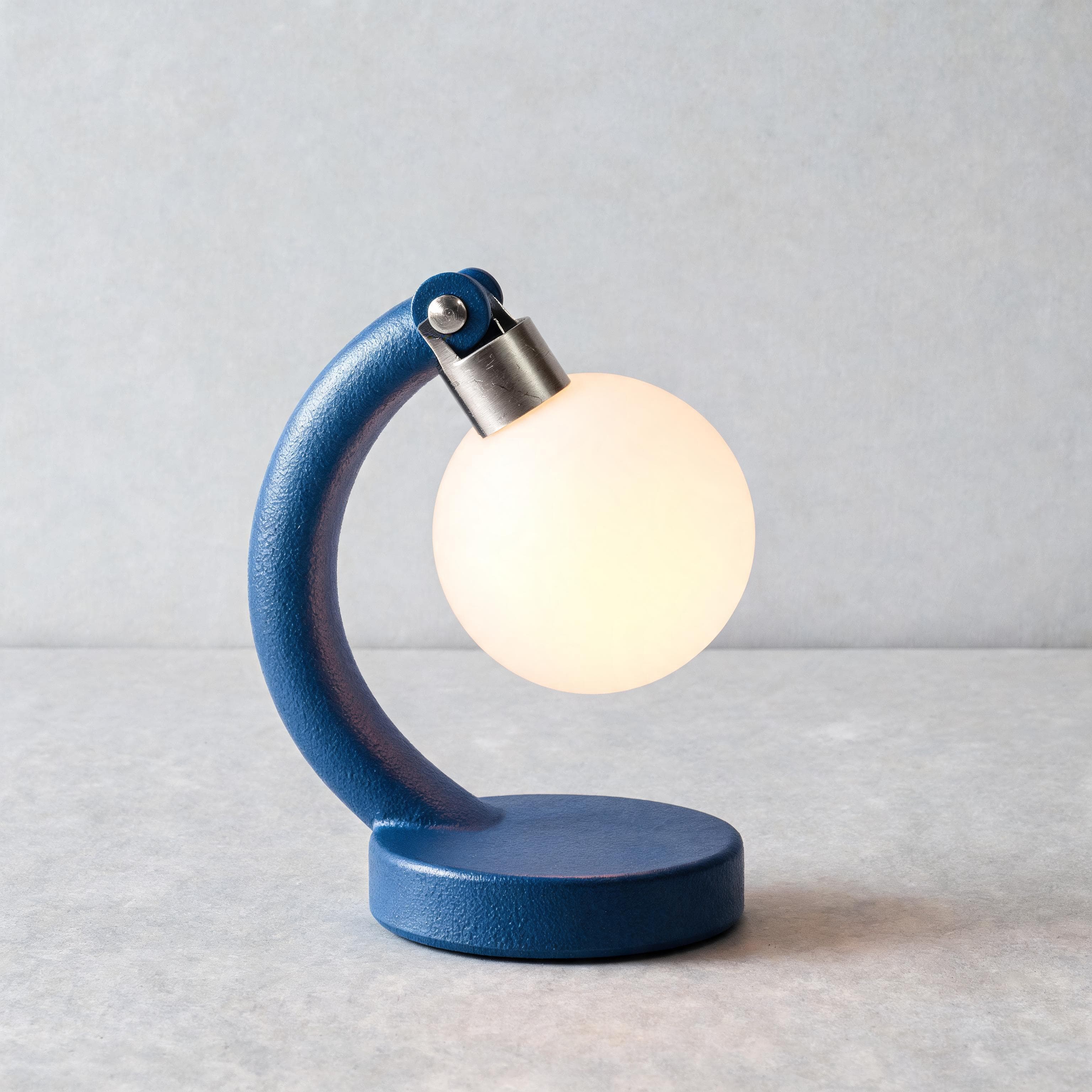 AI-generated · Kanvora official
Create a square studio product image, 1:1. One object only. Product concept: one compact arch-shaped desk lamp with a round base, a single brushed-aluminum hinge, and a circular warm-white diffuser. No second lamp, no extra hinge, no cable in frame. Material and finish: matte cobalt powder-coat on the arch and base with a fine orange-peel texture; brushed aluminum hinge with visible micro-scratches and a cool specular; opal glass diffuser glowing from within, not a painted disc. Camera view: three-quarter view at tabletop height, 50mm look, lamp filling most of the frame, generous breathing room at the top, focus on the hinge and the diffuser rim. Lighting: large softbox from upper left, a thin 2700K bounce from the diffuser onto the paper, restrained contact shadow attached to the round base, no floating shadow, no hard second key. Atmosphere: clean studio air, no haze, no steam, no dust motes that hide the silhouette. Surface and background: pale gray seamless paper, slight paper tooth, clean horizon. Must include: one hinge only, readable silhouette, warm diffuser, attached contact shadow, metal micro-scratches. Must avoid: logos, text, cables, hands, extra products, reflections that hide the silhouette, brand badges, second hinges.
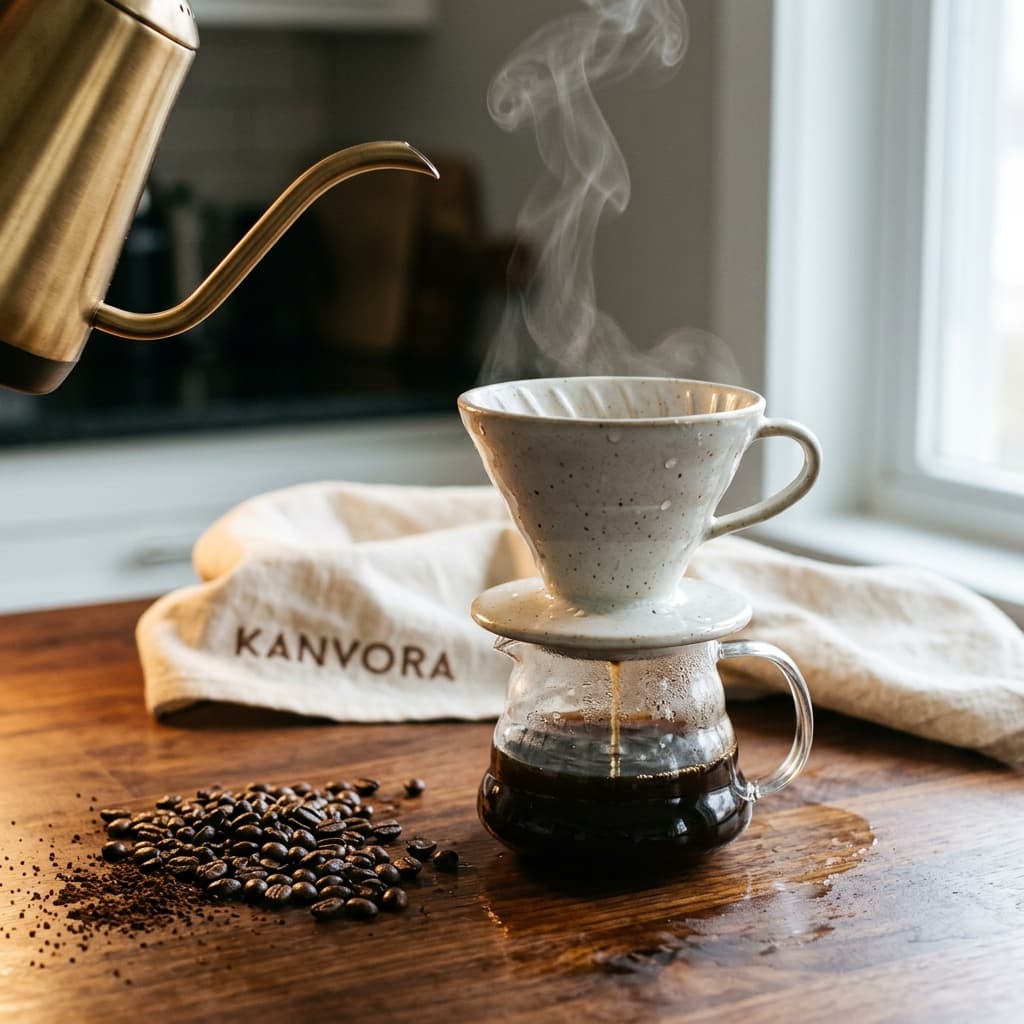 AI-generated · Kanvora official
A close-up product still of a small ceramic pour-over coffee dripper on a dark walnut counter, wet dark roast beans scattered to the left, a thin ribbon of steam rising from a glass carafe below. Warm tungsten key light from camera left, cool window fill from the right, soft specular highlights on the glaze and on a brushed-brass kettle spout entering the frame. Shallow depth of field, 50mm look, tiny water droplets on the ceramic, visible wood grain and coffee-oil sheen. In the background, a cream linen towel with the word KANVORA embroidered in small dark-brown caps, slightly out of focus but readable. Photoreal, no logo watermark, no extra hands, square 1:1 composition with generous negative space at the top.
Use the diagram as a review guide
Describe the product concept instead of pretending the real item was photographed.
Define the product concept before generating
A useful brief separates observable physical details from art direction and unverified claims.
Start with one product concept and one destination. Describe only details you can review in the output. If the image must represent a product that already exists, keep a real reference beside you even though Kanvora cannot upload it, and reject any output that changes important details.
- Object: name one product category and the silhouette that makes it recognizable.
- Materials: describe surface finish, texture, transparency, and any parts that join together.
- View: choose front, three-quarter, top-down, macro, or another single camera position.
- Lighting: define soft window light, hard studio light, rim light, or another inspectable setup.
- Ground and background: name the surface, background color, and desired shadow behavior.
- Exclusions: remove logos, tiny package copy, extra products, hands, watermarks, and unsupported performance claims.
Write a studio brief that can be checked
Keep object facts, camera direction, lighting, and exclusions in separate lines.
A compact structure makes revisions attributable. Change the camera line when the view is wrong, the material line when the surface is wrong, or the exclusions when the image invents props. Do not add more adjectives everywhere after one local failure.
Product concept: [one object and its defining silhouette]
Material and finish: [surface, color, texture, transparency]
Camera view: [front | three-quarter | top-down | macro]
Lighting: [source, direction, softness, shadow]
Surface and background: [ground, background color, spacing]
Composition: one product, clear edges, room for the destination crop
Must avoid: logos, package copy, extra products, hands, watermarks, unsupported claimsUnbranded desk-light concept
This example demonstrates input structure only. Replace every detail with a brief you are allowed to use.
Create a square studio product image.
Product concept: one compact arch-shaped desk light with a round base
Material and finish: matte cobalt body, brushed aluminum hinge, warm white diffuser
Camera view: three-quarter view at tabletop height
Lighting: large softbox from upper left, restrained contact shadow
Surface and background: pale gray seamless paper
Composition: one object centered with clear edges and generous breathing room
Must avoid: logos, text, cables, hands, extra products, reflections that hide the silhouette
Choose the frame and review resolution
The destination controls the ratio; the review task controls whether 1K or 2K is worth the extra credits.
Use square for flexible catalog-style concepts, portrait when the object is tall, and landscape when the environment is part of the story. Resolution does not make an invented physical detail accurate.
| Need | Choose | Check before generating |
|---|---|---|
| Square catalog concept | 1:1 | Keep one object large enough to inspect without clipping edges. |
| Tall bottle, lamp, or package | 3:4 or 9:16 | Leave room above and below the silhouette; verify labels are absent or correct. |
| Object in a wider scene | 4:3 or 16:9 | Make the product remain the primary subject instead of a small prop. |
| Fast composition review | Nano Banana 2 1K, 4 credits | Use 1K only when the first task is checking view, lighting, and hierarchy. |
| Larger review file | Seedream 5.0 Lite 2K at 3 credits or Nano Banana 2 2K at 5 | Choose by model preference, not an assumption that size fixes product fidelity. |
Kanvora does not provide background removal, layered retouching, color calibration, or reference-image matching on this route.
Run a product-concept image workflow
Every paid attempt ends with a factual comparison, not only a style preference.
Lock the concept, submit one job, and review the stored raster against the brief. If the image changes a fact a buyer could rely on, stop rather than polishing the fiction.
- 1
Lock the object description
Record the silhouette, materials, camera view, lighting, background, and exclusions in a compact source brief.
ContinueEvery visible requirement can be checked without guessing.Stop or reviseThe job depends on matching a real item that cannot be described reliably from text. - 2
Choose the destination frame
Select one of Kanvora's five ratios based on the first placement and keep the object large enough to inspect.
ContinueThe crop fits the placement and preserves the complete silhouette.Stop or reviseThe destination dimensions, safe area, or required product angle are unknown. - 3
Choose a model and submit once
Use Seedream 5.0 Lite 2K for 3 credits, Nano Banana 2 1K for 4, or Nano Banana 2 2K for 5, then follow the authenticated queue.
ContinueOne job is queued and its exact credit hold is visible.Stop or reviseDo not submit another job while the first is QUEUED, RUNNING, or UNKNOWN. - 4
Compare the proof with the brief
Inspect silhouette, part count, material, color, labels, reflections, background, and any invented claim or mark.
ContinueThe image is clearly a concept and every required visible detail passes review.Stop or reviseReject an output that misrepresents a real product, invents package text, or adds an unowned logo. - 5
Download, revise, or schedule a real shoot
Keep a passing concept, revise one failed field, or move to photography when exact physical truth is required.
ContinueThe stored file downloads and its intended concept-only use is documented.Stop or reviseDo not keep generating when the missing requirement can only be solved by photographing the real object.
Rehearse the review before using a real product
The example covers a plausible-looking output that still fails the factual brief.
A strong composition is not enough when a visible physical detail changes. The review must separate aesthetic success from product accuracy.
Arch desk-light concept review
Fix product-image failures without hiding them
Revise one attributable field, or leave generation when the task requires physical evidence.
The best correction follows the failed check. More style words cannot repair a workflow mismatch, and higher resolution cannot prove an invented detail.
- Shape is inconsistent
- Simplify the silhouette into concrete geometry and remove secondary parts. If a real SKU must match, schedule a real shoot.
- Material looks wrong
- Name one material, finish, and light response. Separate matte, gloss, metal, glass, or fabric rather than stacking mood adjectives.
- Extra package text appears
- Exclude all text and logos, then regenerate. Never publish invented legal, ingredient, safety, or performance copy.
- Product is too small
- Ask for one object filling most of the frame and remove environmental props that compete with it.
- Contact shadow floats
- Describe the exact ground plane, light direction, and a restrained shadow attached to the base.
- Queue status is UNKNOWN
- Wait for Kanvora to reconcile the original provider submission. Do not create a duplicate while the hold remains uncertain.
Budget for review rounds, not guaranteed keepers
Every submitted attempt consumes its listed credits even when the image is rejected after review.
Set a maximum before starting. One Seedream 5.0 Lite proof costs 3 credits, Nano Banana 2 1K costs 4, and Nano Banana 2 2K costs 5. A new account receives 20 credits once, which is enough for several deliberate concept reviews but not a promise of a usable product image.
| Model setting | Credits per attempt | Use when |
|---|---|---|
| Seedream 5.0 Lite 2K | 3 | You want the lowest current credit cost and a 2K still. |
| Seedream 4.5 2K | 4 | You need Seedream 4.5 text-to-image at its fixed live output. |
| Nano Banana 2 1K | 4 | You want the Kanvora default and 1K is enough for the review round. |
| Nano Banana 2 2K | 5 | You need Nano Banana 2 at the larger live output setting. |
| Seedream 5.0 Pro 1K | 6 | You need the flagship Seedream text-to-image path at its fixed live size. |
A real product shoot, authorized reference workflow, or layered retouching process may be the lower-risk choice once exact SKU truth becomes the requirement. Purchased Kanvora credits do not expire.
Know when to generate, revise, or photograph
The stop rule is based on truth and editability, not how attractive the synthetic proof looks.
Kanvora fits concept exploration from text. It is the wrong tool when the image must function as evidence of a physical item or preserve details that buyers, regulators, or partners rely on.
- Generate a concept
- You need an unbranded product-style still from text and can review every visible detail.
- Revise one field
- The object is usable, but one camera, material, background, or exclusion requirement failed.
- Wait for the current job
- The queue is active or UNKNOWN. Let Kanvora settle the original submission before another attempt.
- Shoot the real product
- Exact packaging, dimensions, condition, color, labeling, or customer expectation must match reality.
- Use a layered editor
- The image passes, but authorized text, logo, crop variants, or production retouching must be added precisely.
- Keep the current proof
- The concept-only image passes every locked check and the stored file downloads correctly.
Final review checklist
- The image is labeled and used as a concept when it does not depict a photographed SKU.
- Silhouette, part count, materials, and colors match the locked brief.
- No invented logo, package copy, certification, or performance claim appears.
- The crop fits the destination without hiding product edges.
- The stored file downloads before the concept is handed off.
Sources and review date
Model, product, queue, and credit facts can change and should be checked after the review date.
Kanvora capability and credit facts come from the checked-in model registry and live generator. Official model pages establish model identity, but they do not prove that a generated image matches any real product. The concept-versus-photograph boundary remains the creator's responsibility.
- Google AI: Nano Banana 2 API image generation documentation.
- ByteDance: Seedream 5.0 Lite model page.
- fal: Seedream 5.0 Lite text-to-image endpoint and Seedream 4.5 text-to-image endpoint.
- Kanvora: Live generator, pricing, Acceptable Use Policy, Terms, and Privacy.
Last verified: August 20, 2026. Frozen PAP review due: November 20, 2026.
Bring one product concept, not a false promise.
Open the real Kanvora generator, choose a model and frame, then sign in only when you are ready to create a credit-bearing request.