AI YouTube thumbnail generator from text
Draft a wide thumbnail concept with one focal subject, one contrast plan, and little or no embedded text. Review it at small size, then finish exact lettering and authorized creator imagery in a layout tool.
Kanvora does not upload to YouTube, generate video, swap a real creator's face, accept a reference photo, test click-through rate, or guarantee text accuracy.
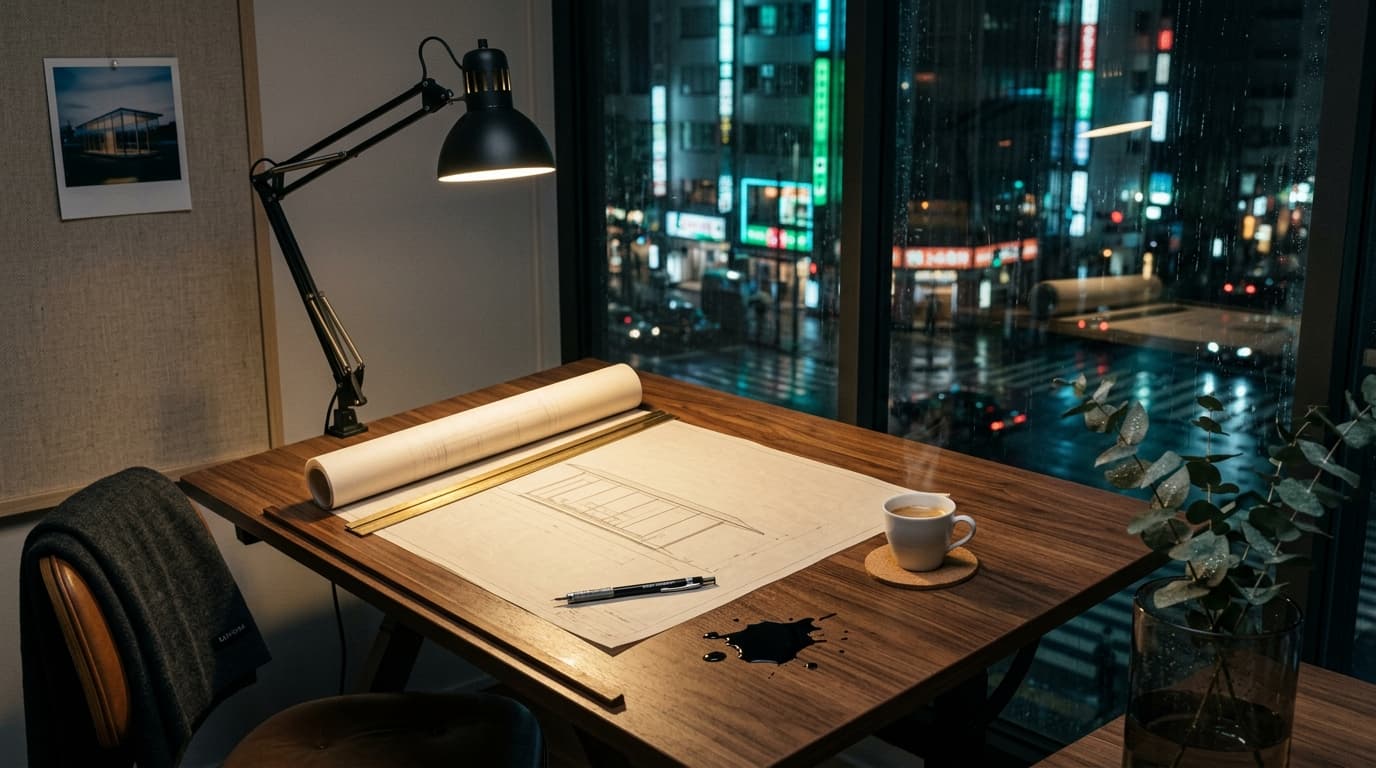 AI-generated · Kanvora official
A wide cinematic product still of a midnight architecture studio overlooking a rain-wet Tokyo side street. Center: a walnut drafting table with a large sheet of cream tracing paper, a brass parallel rule, a mechanical pencil, and a half-unrolled blueprint of a slender glass pavilion; a single espresso in a thin porcelain cup sits on a cork coaster, steam catching the light. Left: a blackened-steel desk lamp throwing a warm 2700K pool across the paper, specular highlights on the brass fittings and on a small pool of spilled ink that has not yet soaked in. Right: floor-to-ceiling glass, cool cyan-green city bounce, rain streaks, bokeh from distant neon and wet asphalt reflections. Mid-ground: a linen pinboard with a single Polaroid of the same pavilion at dusk, and a folded charcoal merino throw over the chair back, the word KANVORA embroidered in small graphite caps, slightly out of focus but readable. Foreground: a shallow-focus sprig of eucalyptus in a smoked-glass cylinder, tiny water beads on the leaves. 35mm look, f/2.0 falloff, rich wood grain, paper tooth, metal micro-scratches, no extra people, no watermark, no logo bug. Photoreal, quiet luxury, generous negative space in the upper third of the frame.
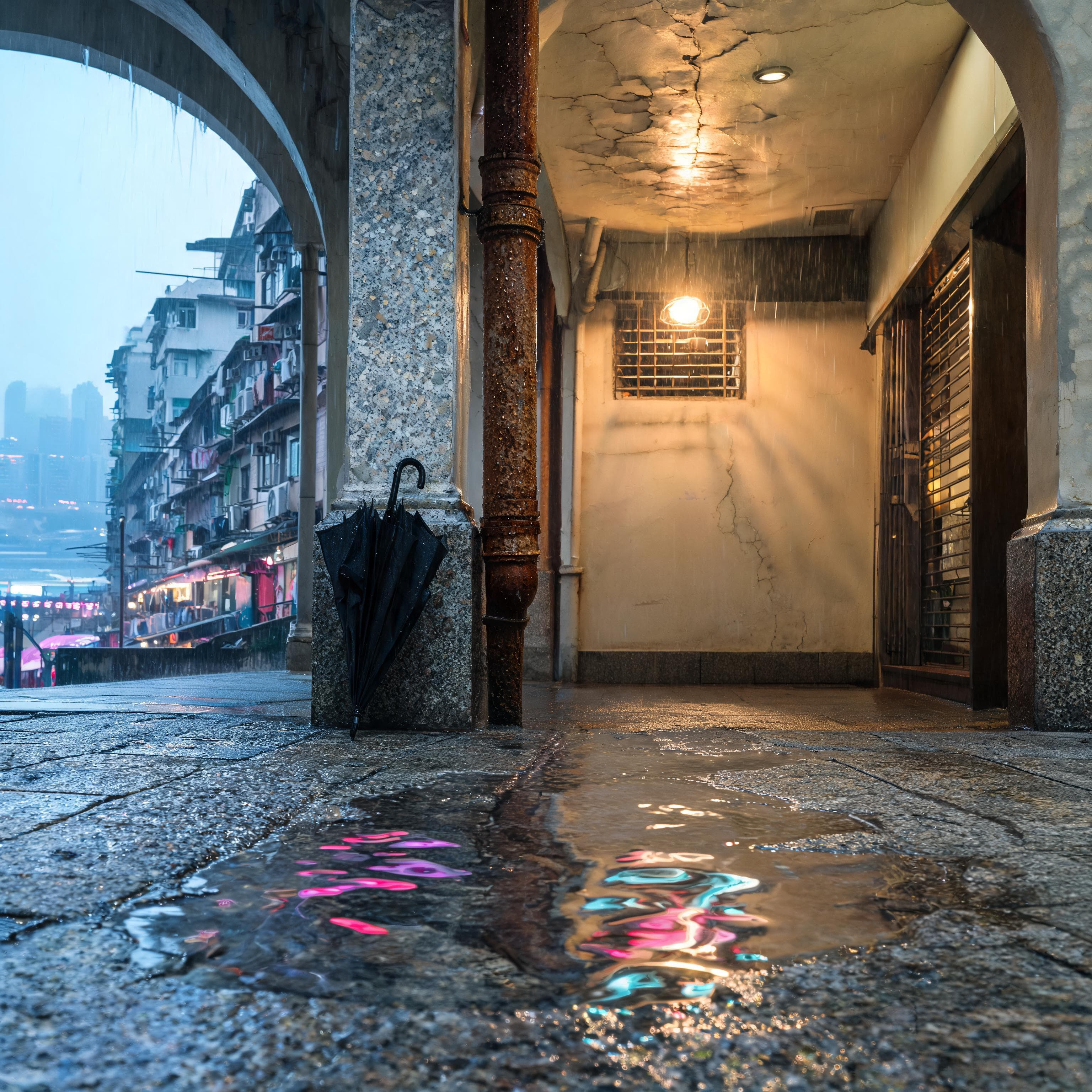 AI-generated · Kanvora official
Photoreal cinematic still of an empty rain-wet Mid-Levels stone arcade just after dusk, Hong Kong. Square 1:1. No people, no faces, no shop names. Foreground materials: pitted granite pavement with a shallow rain sheet; magenta, amber, and cool-cyan neon from the far harbour swim across the puddle as broken ribbons, not as type. A rusted iron downpipe beads with dense condensation; mineral sparkle in the wet stone; one forgotten black nylon umbrella leaning against a chipped terrazzo column, fabric darkened by rain. Mid-ground: a vaulted covered walkway, peeling cream plaster with hairline cracks, a single tungsten shop-light still on behind a metal grille, wet tiles catching the bulb as long speculars. Humid volume light hangs in the vault. Far: through the arcade mouth, a layered urban canyon, laundry poles, rusted air-conditioner units, the harbour reduced to a dark lead strip of light in thin mist. No readable signage. Light: low-kelvin tungsten in the vault as the key, distant magenta neon bounce, a thin moon-blue skylight mixing into humid air. Shadows stay attached to the column and the downpipe. Atmosphere: rain, thin mist, no fog bank that hides the vault. Lens: 35mm, f/2.0 falloff, slight low angle, focus on the puddle and the downpipe droplets, background lights as soft bokeh. Restrained palette: rust, tungsten, cyan, granite gray. Must avoid: people, faces, readable signage, logos, watermarks, poster layout, extra architecture that hides the arcade vault, added props.
Use the diagram as a review guide
Large subject, high separation, and one reserved text zone.
Reduce the thumbnail to one visual promise
A thumbnail must survive small display, so every extra subject and word competes for recognition.
Write the video topic in plain language, choose one visual tension, and decide where exact title text will be added later. Use an invented or non-identifiable subject unless you have a separate authorized creator-image workflow.
- Video topic: one sentence describing what the viewer will actually see.
- Focal subject: one object, scene, diagram-like form, or non-identifiable character.
- Visual tension: one contrast such as before versus after, small versus large, or calm versus chaotic.
- Text zone: left or right, with enough empty space for later exact lettering.
- Contrast plan: separate subject from background using value, color, scale, or edge clarity.
- Exclusions: face swaps, celebrity likeness, fake platform UI, extra words, logos, and watermarks.
Write a wide thumbnail concept prompt
Describe hierarchy and contrast without asking the model to recreate YouTube chrome.
The generated image should provide the visual foundation. Keep exact lettering separate so spelling, font, stroke, and alignment remain editable.
Video topic: [one truthful topic]
Focal subject: [one large subject]
Visual tension: [one clear contrast]
Composition: 16:9, subject on [left | right], reserved text zone on the opposite side
Background and light: [simple separation plan]
Visual treatment: [photographic | illustrated | graphic]
Must avoid: face swaps, celebrity likeness, platform UI, tiny text, logos, watermarks, extra subjectsTiny desk versus giant task list
This example demonstrates input structure only. Replace every detail with a brief you are allowed to use.
Video topic: how to reduce an overloaded weekly plan
Focal subject: one small clean desk beside a towering stack of paper tasks
Visual tension: tiny calm workspace versus oversized chaotic workload
Composition: 16:9, desk on the right third, clear dark text zone on the left
Background and light: warm directional light with strong subject separation
Visual treatment: crisp editorial collage with bold simple shapes
Must avoid: people, faces, text, YouTube UI, logos, watermarks, unreadable small objects
Build for 16:9 and a small preview
The thumbnail frame is fixed, but model size and composition density still require a choice.
Use 16:9 on Kanvora, then preview the stored image at a small width. A larger output can support later cropping, but it cannot rescue weak hierarchy or inaccurate embedded words.
| Need | Choose | Check before generating |
|---|---|---|
| Thumbnail frame | 16:9 | Keep the focal subject large and away from the outer edge. |
| Reserved title zone | Left or right third | Use simple background contrast and add exact title text later. |
| Fast hierarchy review | Nano Banana 2 1K, 4 credits | Judge subject scale and contrast at small preview size. |
| Larger concept file | Seedream 5.0 Lite 2K at 3 credits or Nano Banana 2 2K at 5 | Choose the model, then verify hierarchy again after downscaling. |
| Exact creator portrait | Not supported here | Use an authorized source photo and a separate layout workflow. Do not request a face swap. |
This guide does not state current YouTube upload dimensions or predict click-through performance. Verify export requirements in YouTube when publishing.
Create a thumbnail concept without fake performance claims
The completion signal is a clear, truthful, editable handoff, not a predicted click rate.
Generate the base image, inspect it at small size, and add exact title text in a layout tool. Keep the visual promise aligned with the actual video.
- 1
Write the truthful video promise
Record the real topic, one focal subject, one contrast idea, and the later title zone.
ContinueThe concept can be understood without inventing a result the video does not deliver.Stop or reviseThe request depends on deceptive before-and-after claims or a disallowed face swap. - 2
Build the 16:9 visual brief
Place the focal subject on one side, reserve the other for editable title text, and simplify the background.
ContinueThe hierarchy has one obvious first read and one clear text zone.Stop or reviseThe brief contains many small scenes, long embedded copy, or platform interface elements. - 3
Choose a model and submit once
Select 16:9, review the 3, 4, or 5-credit cost, then sign in and generate one request.
ContinueOne thumbnail concept enters the queue with one visible credit hold.Stop or reviseDo not duplicate an active or UNKNOWN job. - 4
Review at actual small scale
Downscale the stored proof visually and check subject recognition, edge clearance, contrast, and unintended text or marks.
ContinueThe subject and tension remain legible without zooming in.Stop or reviseRevise if the concept works only at full resolution. - 5
Finish exact title and authorized assets
Move the passing base image into a layout tool for exact words, brand treatment, and any authorized creator photo.
ContinueThe final thumbnail is truthful, editable, and verified in the publishing workflow.Stop or reviseDo not publish generated lettering or identity details that have not been checked.
Test a thumbnail that fails at small size
The rehearsal distinguishes full-resolution detail from actual thumbnail readability.
A proof can look rich when enlarged and collapse when reduced. Small-scale preview is the evidence that decides the next step.
Overloaded weekly plan thumbnail rehearsal
Fix thumbnail failures by simplifying
Large focal scale and editable typography matter more than decorative detail.
Keep the generated layer focused on imagery. Use the layout layer for exact words, authorized photos, strokes, and channel treatment.
- No clear focal subject
- Reduce to one large subject and one contrast idea. Remove background stories and small props.
- Subject disappears when small
- Increase scale, edge clarity, and background separation, then preview again at thumbnail size.
- Text is misspelled
- Remove generated lettering and add the exact title in a layout tool.
- Face does not match
- Do not request another face swap. Use an authorized real photo and separate cutout workflow.
- Concept overpromises
- Rewrite the visual promise so it matches the actual video instead of escalating the image.
- Queue status is UNKNOWN
- Wait for reconciliation. A second job is not a safe way to ask whether the first succeeded.
Budget the base-image rounds separately from layout
Exact title edits should not trigger another model charge when the visual already passes.
Use generation credits for meaningful changes to subject, contrast, and composition. Once the base image passes, move spelling, font, stroke, placement, and authorized portrait work into the layout file.
| Model setting | Credits per attempt | Use when |
|---|---|---|
| Seedream 5.0 Lite 2K | 3 | You want the lowest current credit cost and a 2K still. |
| Seedream 4.5 2K | 4 | You need Seedream 4.5 text-to-image at its fixed live output. |
| Nano Banana 2 1K | 4 | You want the Kanvora default and 1K is enough for the review round. |
| Nano Banana 2 2K | 5 | You need Nano Banana 2 at the larger live output setting. |
| Seedream 5.0 Pro 1K | 6 | You need the flagship Seedream text-to-image path at its fixed live size. |
The signup grant is 20 credits once. Kanvora does not charge for YouTube publishing because it does not upload thumbnails or manage videos.
Finish the thumbnail in the right tool
Generation ends when the visual base passes small-scale review.
Kanvora creates the base still. A layout and publishing workflow owns exact title text, authorized creator imagery, export settings, and the final upload.
- Generate the base image
- One text-only 16:9 concept can provide the subject and background you need.
- Revise the hierarchy
- The focal subject, contrast, edge clearance, or text zone fails at small size.
- Wait for the current job
- The request is QUEUED, RUNNING, or UNKNOWN and must settle first.
- Use a layout tool
- The base passes and now needs exact title type, brand treatment, or an authorized photo.
- Reject the concept
- It misleads about the video, contains unowned marks, or depends on a real person's generated likeness.
- Keep the current proof
- The base reads instantly at small size. More generation will not improve exact layout work.
Final review checklist
- The image uses a 16:9 frame and one dominant focal subject.
- The concept remains readable at small thumbnail size.
- The visual promise matches the actual video topic.
- No face swap, celebrity likeness, platform UI, or unchecked text appears.
- The stored base image downloads before exact layout work begins.
Sources and review date
Model, product, queue, and credit facts can change and should be checked after the review date.
The live Kanvora generator and model registry establish 16:9 availability, models, sizes, and credit costs. Official model docs do not establish YouTube performance, creator authorization, or text accuracy, so those claims are explicitly excluded.
- Google AI: Nano Banana 2 API image generation documentation.
- ByteDance: Seedream 5.0 Lite model page.
- fal: Seedream 5.0 Lite text-to-image endpoint and Seedream 4.5 text-to-image endpoint.
- Kanvora: Live generator, pricing, Acceptable Use Policy, Terms, and Privacy.
Last verified: August 20, 2026. Frozen PAP review due: November 20, 2026.
Build the visual hit. Finish the title precisely.
Open Kanvora's public 16:9 controls, choose a model, and sign in at Generate image when the base-image brief is ready.