NANO BANANA 2 · 생성 및 편집

Nano Banana 2 AI 이미지 생성기

Nano Banana 2, Google의 Gemini 3.1 Flash Image 모델을 사용해 새 이미지를 생성하거나 직접적인 시각 편집을 수행하세요. 빠른 0.5K 아이디어 단계에서 4K 출력 단계로 이어지고, 15 종횡비 옵션 전반에서 작업하며, 하나의 워크플로우 내에서 여러 시각 참고 자료를 결합할 수 있습니다.

  • 0.5K–4K 출력
  • 15 종횡비 옵션
  • 최대 14개의 참고 자료
  • JPEG · PNG · WebP

Nano Banana 2로 생성하기

프롬프트나 시각 참고 자료에서 시작한 후, 필요한 이미지에 맞는 출력 제어 옵션을 선택하세요.

모델 선택
워크플로우
0 / 2,000
이미지 생성실시간 견적

이미지 결과

비공개 및 저장됨
기록

Nano Banana 2가 생성할 수 있는 결과 보기

이 첫 번째 파티 결과물들은 작업대에서 사용 가능한 동일한 Nano Banana 2 생성 및 편집 엔드포인트를 활용해 본 페이지를 위해 특별히 제작되었습니다.

당사 자체 결과

형용사 목록이 아닌, 최종 산출물을 기준으로 시작하세요

이 캠페인 비주얼은 명확한 형식, 가상의 이벤트, 정확히 세 줄의 카피, 그리고 정의된 읽기 순서로 시작합니다. 이후 카메라 각도, 조명, 색상 팔레트, 여백 등이 그 작업 요구사항을 중심으로 창의적 방향성을 형성합니다.
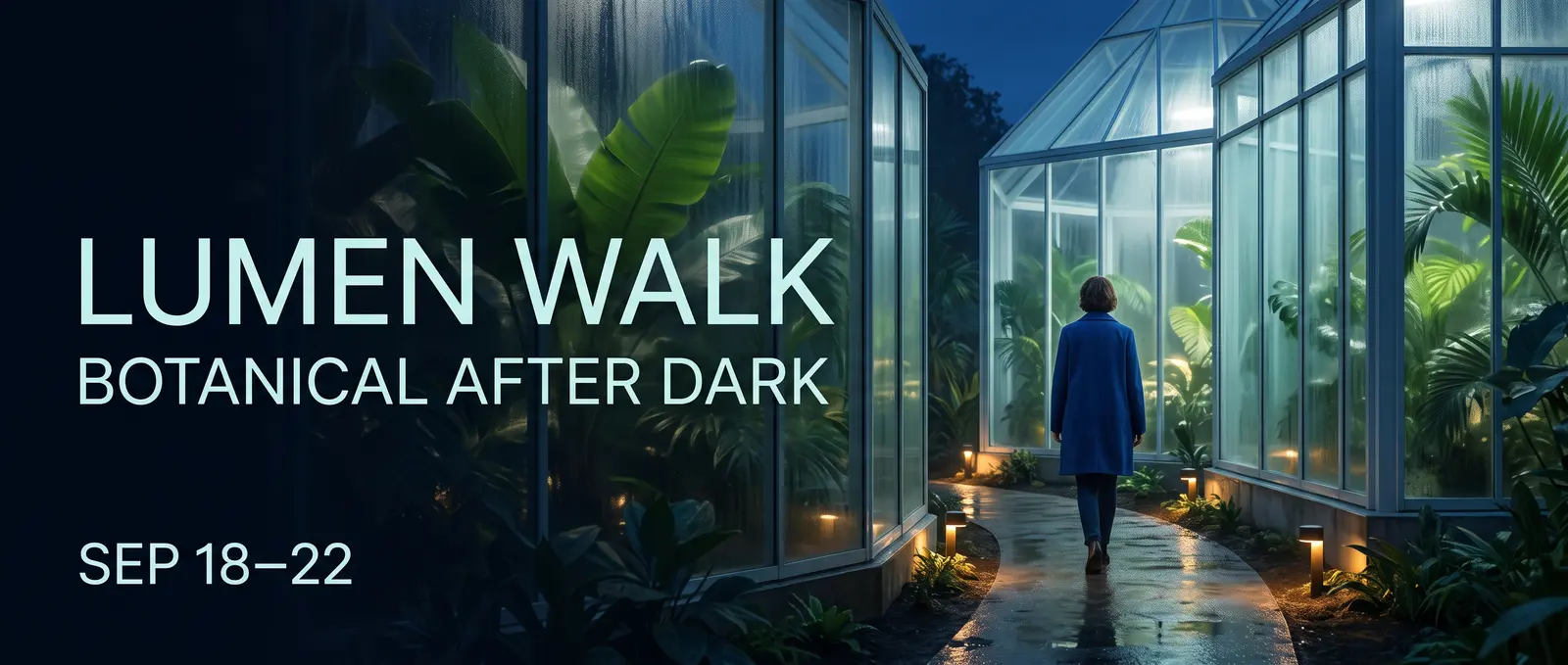
유리 온실 내부에서 진행되는 루멘 워크(Lumen Walk) 식물학 야간 캠페인
구조화된 창의적 브리프에서 생성된 21:9 가상 캠페인 시각 자료AI 생성 · Nano Banana 2 · 사이트 자체 제작
프롬프트

Create an ultrawide 21:9 editorial campaign banner for a fictional nighttime botanical event named LUMEN WALK. Deliverable and hierarchy: - A premium web campaign visual with one clear title, one supporting line, and one date line. - Render exactly these three lines and no other words: LUMEN WALK BOTANICAL AFTER DARK SEP 18–22 - The title must be the largest line, the supporting line second, and the date smallest. Keep every letter legible and correctly spelled. Scene: - A contemporary glass conservatory at blue hour, seen from a slightly low eye-level camera. - Luminous tropical leaves, soft condensation on glass, a narrow reflective path, and small pools of warm amber light. - One adult visitor in a simple deep-cobalt coat walking into the conservatory, viewed at a respectful distance, not a portrait. Composition and design: - Place the text as an integrated editorial layout in the left third. - Keep the adult visitor and brightest conservatory structure in the right two thirds. - Maintain generous negative space around all text and a clear left-to-right reading path. - Palette: midnight blue, botanical green, soft cyan glass, restrained amber highlights. - Refined contemporary sans-serif typography, no logos, no sponsor marks, no QR code, no extra text. Rendering: - Photorealistic environment with crisp foliage, realistic glass reflections, natural atmospheric depth, and controlled cinematic light. - Do not create a collage, frame, device mockup, website UI, border, watermark, or caption outside the designed campaign image.
01 · 정보가 풍부한 시각 자료

정보를 시각적 계층 구조로 전환하세요

Nano Banana 2에게 관람자가 무엇을 가장 먼저 주목해야 하는지, 정보가 어떻게 그룹화되어야 하는지, 그리고 어떤 짧은 문구가 정확히 그대로 표시되어야 하는지를 알려주세요. 정의된 패널 구조와 제한된 텍스트는 ‘정보를 담아 달라’는 막연한 요청보다 인포그래픽, 설명 자료 또는 캠페인 카드 제작에 더 강력한 출발점을 제공합니다.

  • 읽기 순서
  • 정확한 짧은 텍스트
  • 패널 구조
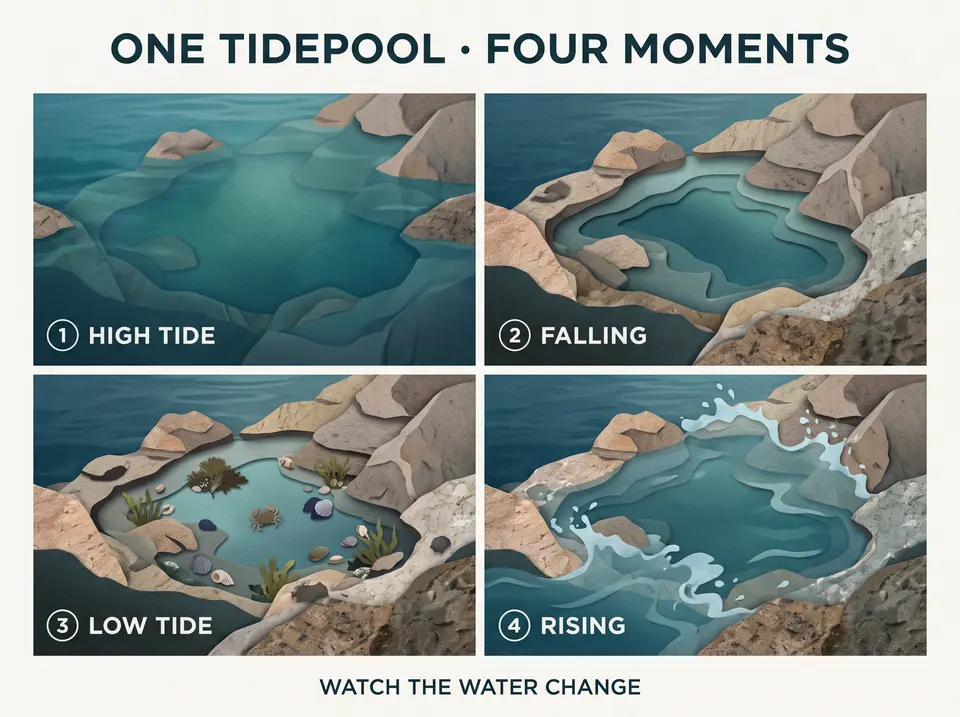
만조, fal링, 간조, 그리고 상승 중인 조수의 네 가지 순간을 보여주는 사중(四重) 조류 웅덩이 시각 자료
정확한 라벨과 정의된 읽기 순서로 구성된 사중(四重) 시각 자료
프롬프트

Create a polished 4:3 editorial explainer titled ONE TIDEPOOL · FOUR MOMENTS. The subject is the changing appearance of one rocky tidepool across a tidal cycle. This is a visual sequence, not a scientific textbook page. Use exactly four equal panels in a left-to-right reading order. Show the same tidepool, rock shapes, camera angle, and restrained natural palette in every panel while the visible water level changes. Render exactly this copy and no other text: ONE TIDEPOOL · FOUR MOMENTS 1 HIGH TIDE 2 FALLING 3 LOW TIDE 4 RISING WATCH THE WATER CHANGE Panel content: 1. HIGH TIDE — the pool and nearby rocks are mostly covered by clear blue-green water. 2. FALLING — the water recedes and more rock texture appears. 3. LOW TIDE — the contained pool is visible with small seaweed, shells, and one tiny shore crab. 4. RISING — a gentle incoming flow begins to cover the outer rocks again. Design: - Large title at the top, four compact panel labels, one short footer. - Contemporary natural-history editorial style using simple diagrams blended with tactile cut-paper and realistic textures. - Clear spacing, consistent icons, no arrows crossing text, no paragraphs, no legend, no logo, no watermark, and no extra annotations.

02 · 한 방향 · 여러 캔버스

한 방향을 거의 모든 캔버스에 맞게 재구성하세요

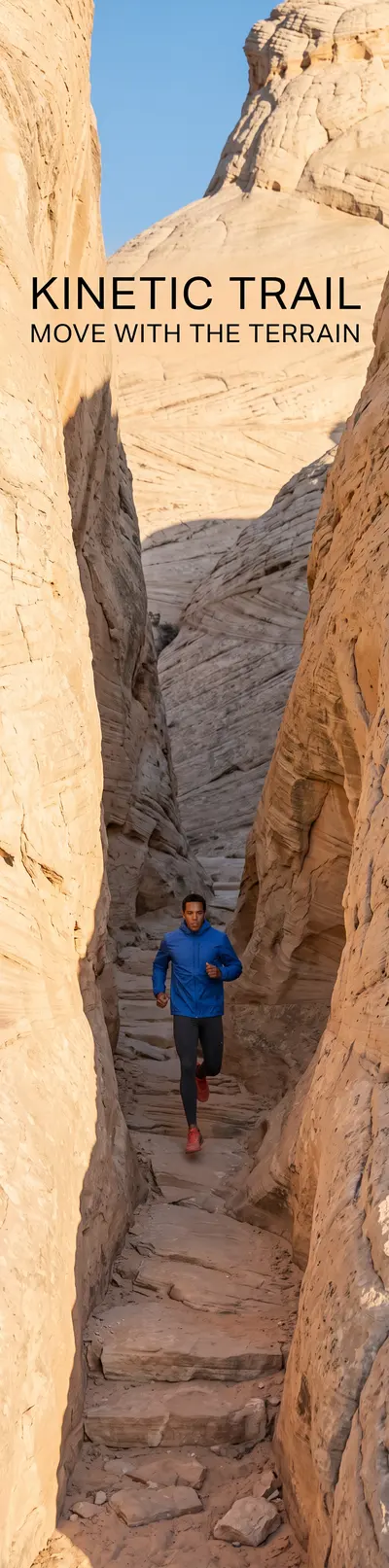
Nano Banana 2는 표준 가로 및 세로 형식 외에도 4:1, 1:4, 8:1, 1:8를 지원합니다. 편집 워크플로를 사용하여 선택된 방향을 재구성하면서도 피사체, 의상, 색상 팔레트, 캠페인 언어를 일관되게 유지하세요.

  • 표준 종횡비
  • 극단 종횡비
  • 참조 재구성
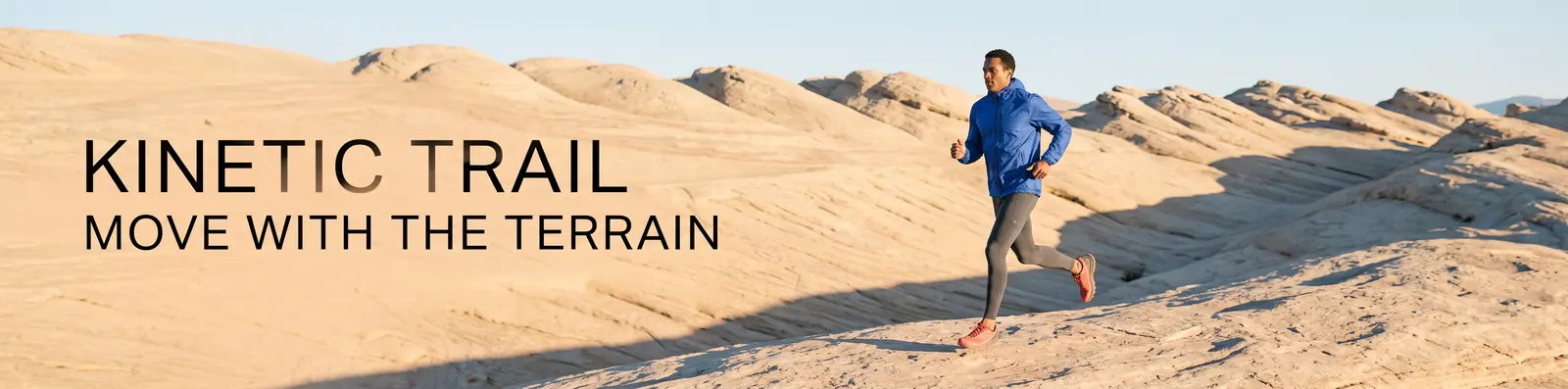
사암 지형을 가로지르는 성인 달리기 장면을 담은 울트라 와이드 키네틱 트레일(Kinetic Trail) 캠페인
4:1 원본
울트라 와이드 원본에서 재구성된 세로형 키네틱 트레일 캠페인
1:4 재구성

선택된 4:1 방향이 편집 엔드포인트를 통해 1:4 캔버스용으로 재구성되었습니다.

프롬프트

Use Image 1 as the only visual source. Recompose the KINETIC TRAIL campaign as a new 1:4 vertical image; do not crop, stretch, rotate, or place the original image inside a frame. Preserve: - the same adult runner’s overall appearance; - the cobalt windbreaker, charcoal tights, and coral trail shoes; - the warm pale-sandstone environment; - the cool-cobalt and warm-sand palette; - the low sunrise direction and editorial photographic finish; - exactly the same campaign copy and spelling: KINETIC TRAIL MOVE WITH THE TERRAIN Recompose: - Place the runner in the lower-middle area moving upward through a tall sandstone passage. - Use the vertical rock walls and a narrow strip of sky to create depth through the full 1:4 canvas. - Place KINETIC TRAIL in the upper open area and MOVE WITH THE TERRAIN below it, with safe margins and strong readability. - Extend the environment naturally above and below the source direction. No additional people, clothing changes, logos, extra text, border, collage, duplicated limbs, or watermark.

03 · 다중 참조 편집

여러 참조 이미지를 기반으로 장면을 구성하세요

모든 소스 이미지에 명확한 역할을 부여하세요: 하나는 기준 장면으로 사용하고, 다른 하나에서 객체를 추출하며, 세 번째에서는 재질이나 패턴을 가져옵니다. 이후 배치 위치, 크기 비율, 조명 일치도 및 반드시 유지되어야 할 세부 사항을 명시하세요.

  • 기준 장면
  • 객체 참조
  • 재질 참조
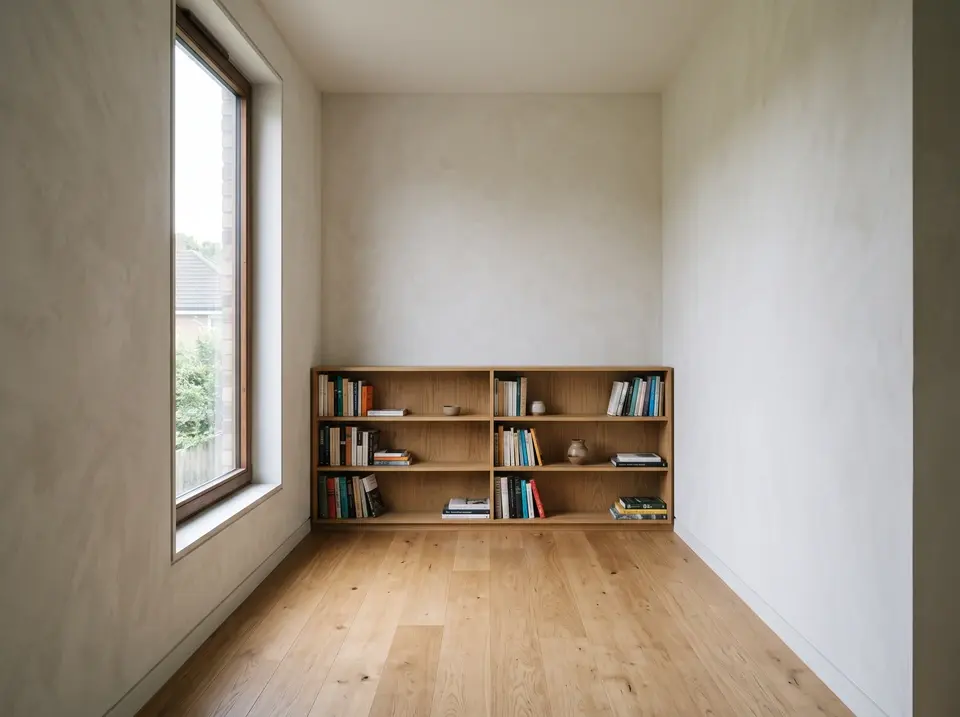
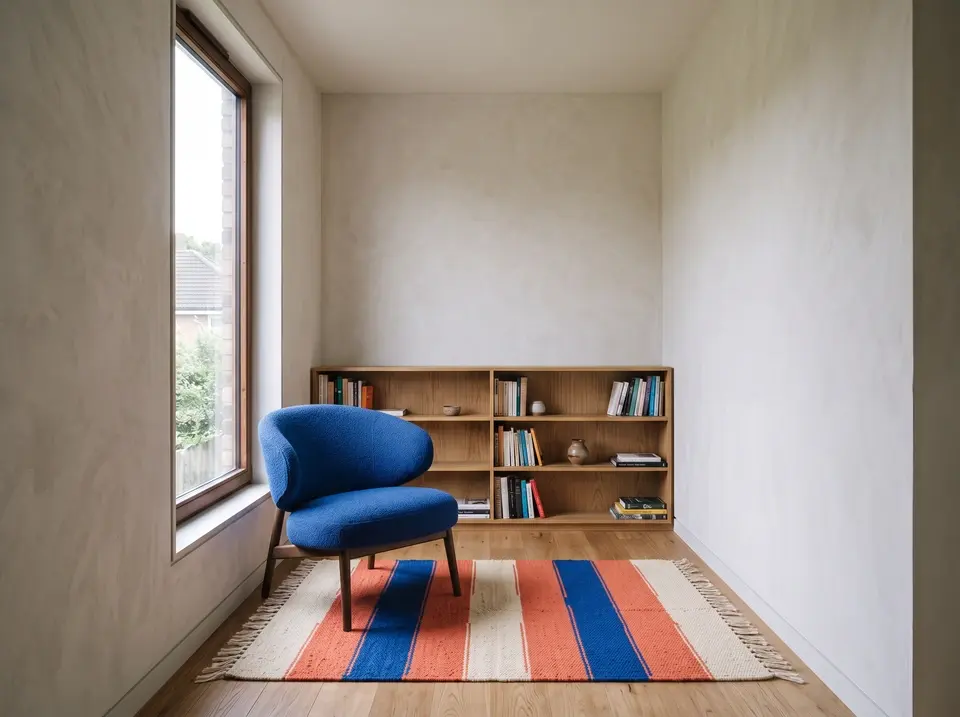
오크 바닥, 벽면 책장, 아침 햇살이 들어오는 창문이 있는 비어 있는 독서실
이미지 1 · 기본 실내
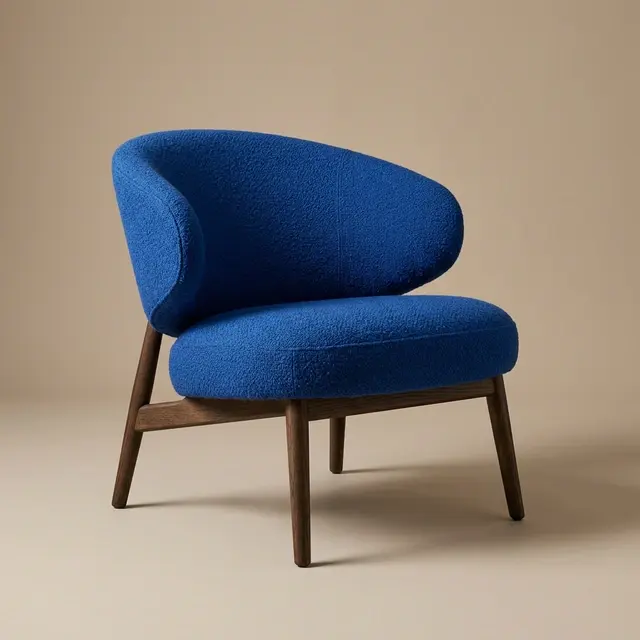
중성적인 스튜디오 배경 위에 놓인 코발트 블루 조각적 라운지 체어
이미지 2 · 체어
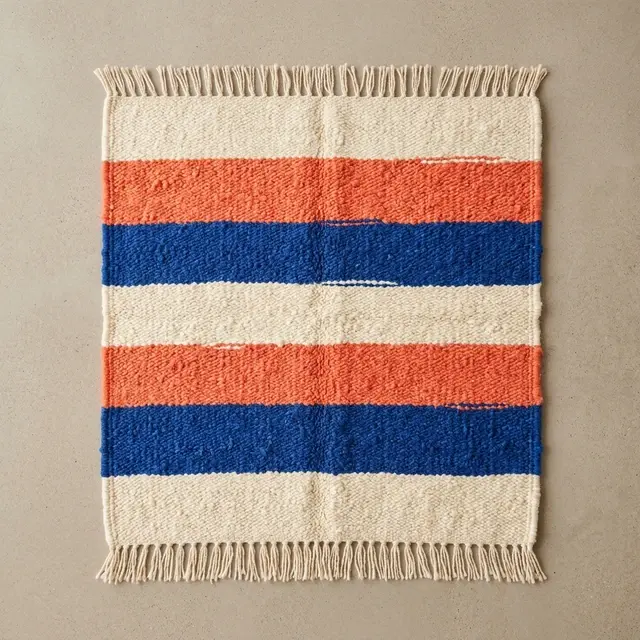
위쪽에서 바라본 손바느질 크림색, 산호색, 코발트 블루 줄무늬 럭
이미지 3 · 럭
두 개의 참조 이미지(코발트 체어와 줄무늬 직조 럭)를 기반으로 구성된 독서실
구성 결과이미지 1가 실내를 설정하고, 이미지 2와 3가 각각 체어와 럭을 제공합니다.
프롬프트

Use Image 1 as the base room. Use Image 2 only as the chair reference. Use Image 3 only as the rug reference. Build one photorealistic interior result: - Place the cobalt lounge chair from Image 2 in the empty seating area near the left window, angled slightly toward the bookcase. - Place the cream, coral, and cobalt rug from Image 3 beneath the chair, large enough to anchor the seating area without covering the entire oak floor. Preserve from Image 1: - the room geometry and wall positions; - the camera height, lens perspective, and framing; - the tall left window and its view; - the built-in bookcase and books; - the pale wall finish and warm oak floor; - the early-morning light direction. Match the chair and rug to the room with correct scale, perspective, contact shadows, soft window highlights, fabric texture, and floor occlusion. Do not redesign the chair or rug, change their colors, add another object, move the architecture, add people, add text, or create a collage. Output one continuous 4:3 room photograph.

프롬프트 가이드

이미지를 직접 지시한 후, 모든 소스를 명확히 정의하세요

유용한 프롬프트는 간결한 창의적 브리프처럼 읽힙니다. 작업명을 명시하고, 장면을 조직화하며, 정확한 카피 또는 유지 규칙을 명시적으로 기술하세요.

  1. 생성

    산출물 → 주제 → 동작 → 배경 → 구성 → 카메라 및 조명 → 정확한 카피 → 출력

  2. 편집

    이미지 역할 → 관계 → 변경 또는 구축 → 유지 → 배치 및 매칭 → 출력

  • 산출물을 명명하세요.
  • 짧은 카피를 정확히 인용하세요.
  • 각 참고 자료에 역할을 할당하세요.
  • 변경 사항과 유지 사항을 분리하여 기술하세요.
  • 배치, 크기, 원근감, 조명을 설명하세요.
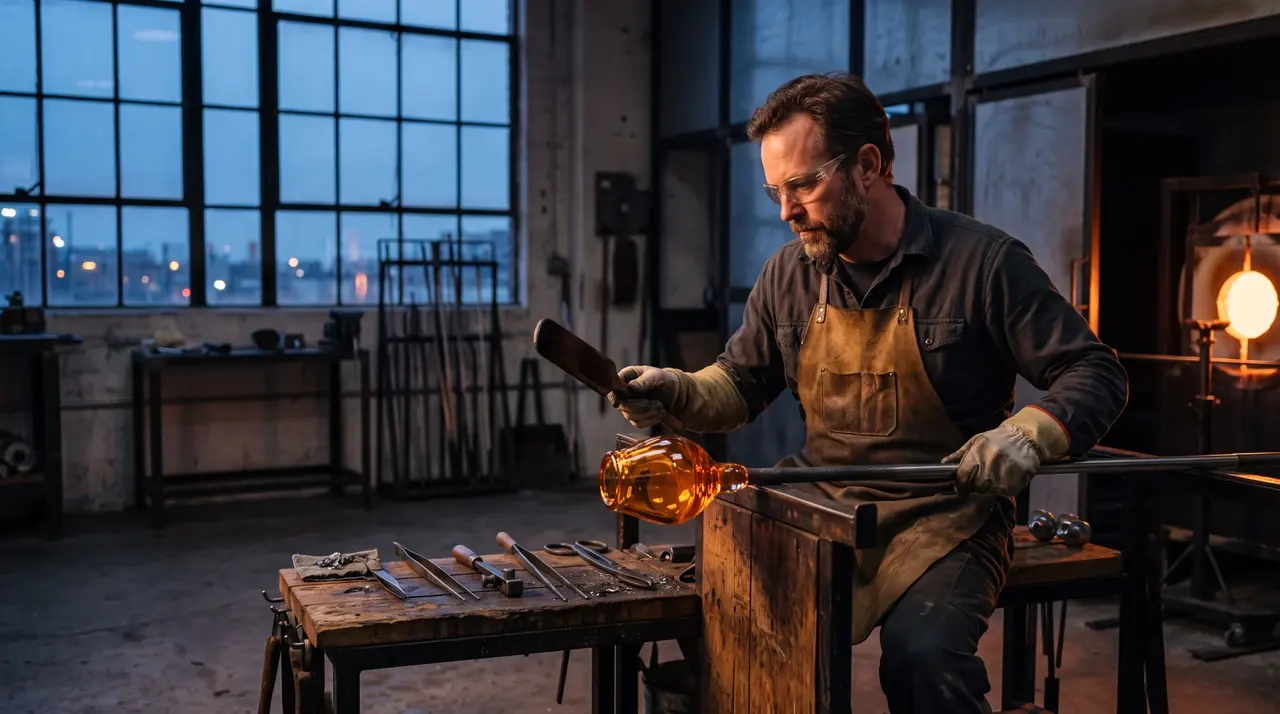
새벽 빛이 비치는 스튜디오에서 호박색 유리를 성형 중인 성인 유리 공예가
프롬프트 예시완전한 프롬프트는 작업 목적, 피사체, 장면, 카메라, 조명, 재질, 그리고 제외 사항을 모두 명시합니다.
생성 프롬프트

Create a 16:9 editorial photograph of an adult glass artist shaping amber glass in a quiet studio before sunrise. Frame the artist from waist height, keep the furnace glow on the right, use soft blue window light from the left, preserve realistic tools and heat reflections, and leave a calm area of negative space above the workbench. Photorealistic, 4K, no visible brand marks.

참고 자료 편집 프롬프트

Use Image 1 as the base room. Add the cobalt chair from Image 2 beside the left window and place the striped rug from Image 3 beneath the seating area. Preserve the room geometry, camera position, wood finish, window view, and morning light. Match contact shadows, scale, perspective, and fabric texture. Output a 4:3 photorealistic interior.

Nano Banana 2 설정

작업에 부합하는 출력 제어 옵션을 선택한 후, 프롬프트, 참고 자료, 맥락 관련 결정을 모두 동일한 작업 내에서 관리하세요.

설정사용 가능한 옵션
워크플로우텍스트 → 이미지, 이미지 → 이미지
해상도0.5K, 1K, 2K, 4K
종횡비자동, 21:9, 16:9, 3:2, 4:3, 5:4, 1:1, 4:5, 3:4, 2:3, 9:16, 4:1, 1:4, 8:1, 1:8
출력 형식JPEG, PNG, WebP
참고 이미지이미지 → 이미지에서 최대 14
출력1, 2, 3 또는 4
시드선택적 정수
웹 검색끄기 또는 켜기
사고끄기, 최소, 고도
컨텍스트 파일동영상, 오디오, PDF 또는 이미지 → 이미지에서 지원되는 YouTube 링크
기본값1K, 자동, PNG, 1 출력, 웹 검색 끄기, 사고 끄기

해상도, 종횡비, 형식 및 고급 제어 옵션은 모두 동일한 작업과 실행 시간 견적을 공유합니다. 모델 문서.

Nano Banana 2 또는 GPT Image 2?

광범위한 종횡비 지원, 0.5K–4K 출력, 다중 참조 구성, 그리고 선택적 웹 기반 워크플로우가 중요한 경우 Nano Banana 2를 선택하세요. 품질 제어와 맞춤형 치수 워크플로우가 작업에 더 적합할 경우 GPT Image 2를 선택하세요. 두 모델 모두 공유 워크벤치에서 이미지 생성 및 자연어 기반 이미지 편집을 지원합니다.

결정Nano Banana 2GPT Image 2
가장 적합한 선택광범위한 종횡비 및 다중 참조 구성품질 중심 제어 및 맞춤형 치수
출력 크기 조정0.5K, 1K, 2K, 4K자동 또는 사용자 정의 너비 및 높이
종횡비 제어자동 + 14 고정 종횡비일반적인 모델별 종횡비
품질 제어없음자동, 낮음, 중간, 높음
포맷JPEG, PNG, WebPJPEG, PNG, WebP
GPT Image 2 탐색하기

자주 묻는 질문

Nano Banana 2 생성, 편집, 출력 설정, 참조 이미지 및 고급 제어에 관한 간결한 답변입니다.

Nano Banana 2란 무엇인가요?

Nano Banana 2는 Google의 제미니 3.1 플래시 이미지 모델로, 자연어 프롬프트를 통해 이미지를 생성하고 편집을 지시합니다. 이 페이지에서는 공유 이미지 작업대를 통해 이용할 수 있습니다.

Nano Banana 2는 나노 바나나 프로와 동일한가요?

아니요. Nano Banana 2는 제미니 3.1 플래시 이미지를 의미하며, 나노 바나나 프로는 제미니 3 프로 이미지를 의미합니다. 두 모델은 서로 별개이며, 각각 다른 워크플로우와 포지셔닝을 가집니다.

어떤 해상도와 종횡비를 사용할 수 있나요?

Nano Banana 2는 0.5K, 1K, 2K 및 4K 출력을 지원합니다. 자동 또는 21:9부터 1:8까지의 고정 종횡비(풍경, 정방형, 세로형, 극단 형식 포함) 중 하나를 선택하세요.

참조 이미지를 몇 개 추가할 수 있나요?

이미지 → 이미지 워크플로우는 최대 14개의 참조 이미지를 허용합니다. 각 이미지에 기준 장면, 주체, 제품, 질감, 재질 방향 등과 같이 프롬프트 내에서 명확한 역할을 지정하세요.

어떤 출력 형식을 사용할 수 있나요?

Nano Banana 2 결과물을 JPEG, PNG 또는 WebP 형식으로 내보낼 수 있습니다. 작업대에서는 PNG가 기본 출력 형식입니다.

Nano Banana 2가 웹 검색이나 사고 기능을 사용할 수 있나요?

예. 간략한 설명서에 현재 상황에 대한 맥락이 필요할 때 웹 검색을 켜거나, 더 많은 시각적 계획이 필요할 경우 최소 또는 고도 사고를 선택할 수 있습니다. 제출 전에 작업대에서 사용 가능한 컨트롤과 실행 시간 예상치를 확인할 수 있습니다.

Nano Banana 2로 생성하기

새 프롬프트로 시작하거나 시각적 참조 이미지를 편집 워크플로우에 추가하세요.