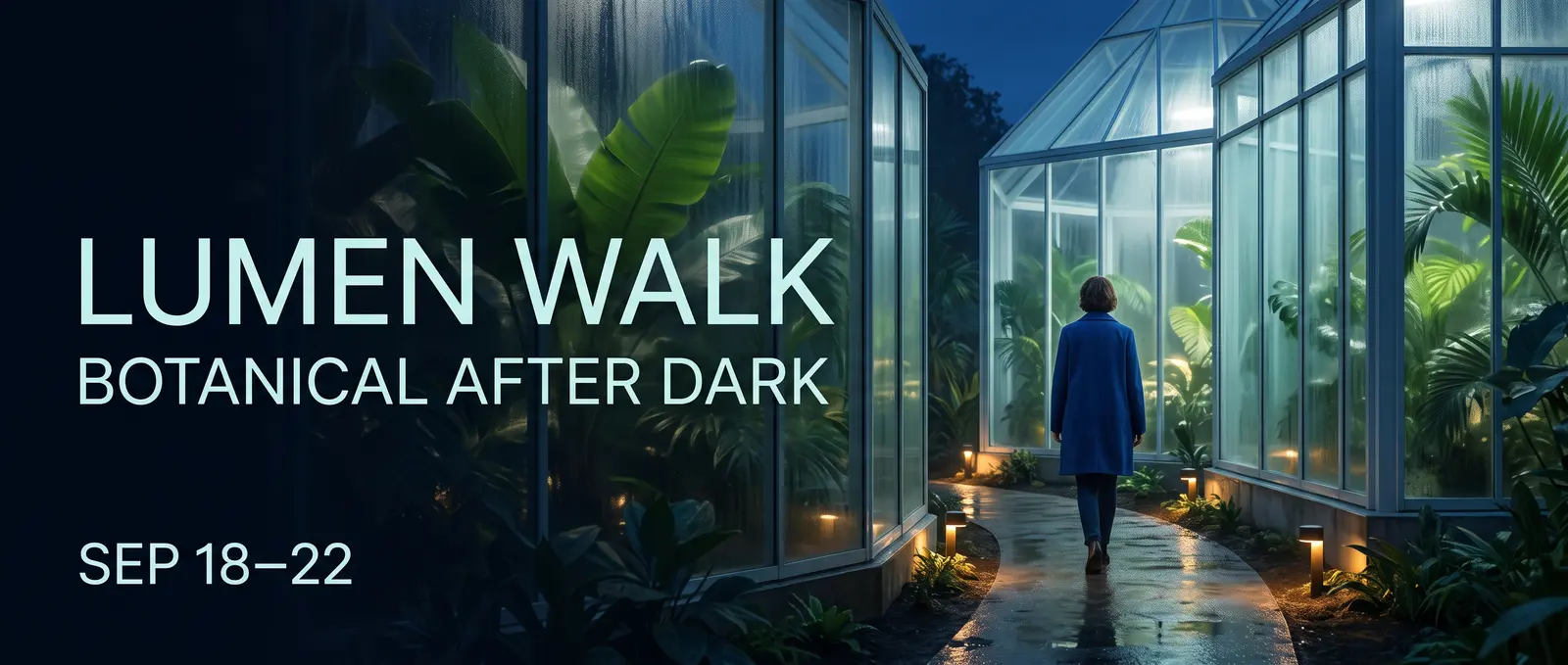
NANO BANANA 2 · 生成与编辑

Nano Banana 2 AI 图像生成器

使用 Nano Banana 2、Google 的 Gemini 3.1 Flash 图像模型,创建全新图像或直接进行视觉编辑。从快速 0.5K 概念构思推进至 4K 输出成果,支持 15 种宽高比选项,并可在同一工作流中融合多个视觉参考。

  • 0.5K–4K 输出
  • 15 种宽高比选项
  • 最多支持 14 个参考图
  • JPEG · PNG · WebP

使用 Nano Banana 2 创作

可从文字提示或视觉参考图开始,再选择契合所需图像的输出控制参数。

选择模型
工作流
0 / 2,000
生成图像实时报价

图像结果

私密且已保存
历史记录

查看 Nano Banana 2 的创作能力

这些首方生成结果专为此页面制作,所用 Nano Banana 2 生成与编辑接口与工作台中完全一致。

第一方结果

从交付成果出发,而非一连串形容词

本广告视觉设计始于明确格式、虚构活动、三行精准文案及既定阅读顺序;镜头、光线、配色与留白则围绕该任务共同塑造创意方向。
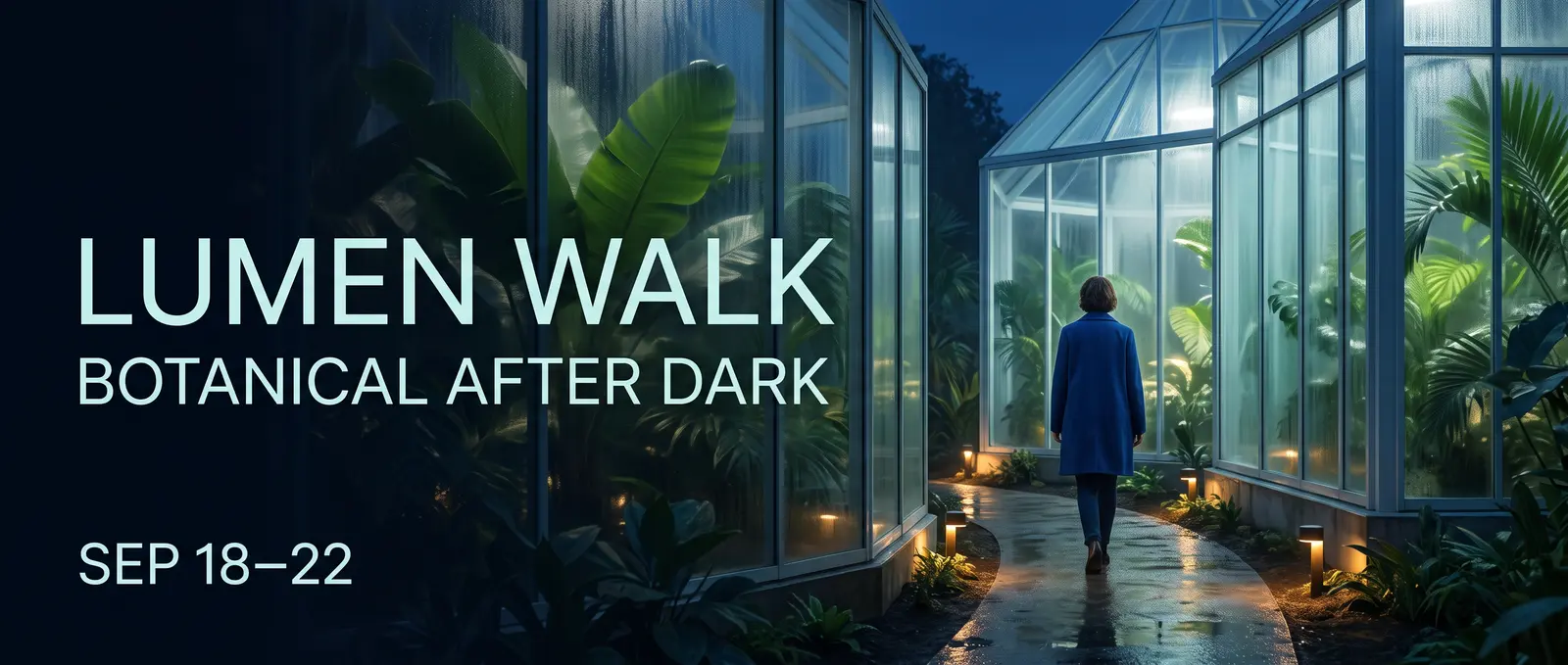
Lumen Walk 植物主题夜间营销活动,场景设于玻璃温室内部
一张基于结构化创意简报生成的 21:9 虚构营销视觉图AI 生成 · Nano Banana 2 · 站点制作
提示词

Create an ultrawide 21:9 editorial campaign banner for a fictional nighttime botanical event named LUMEN WALK. Deliverable and hierarchy: - A premium web campaign visual with one clear title, one supporting line, and one date line. - Render exactly these three lines and no other words: LUMEN WALK BOTANICAL AFTER DARK SEP 18–22 - The title must be the largest line, the supporting line second, and the date smallest. Keep every letter legible and correctly spelled. Scene: - A contemporary glass conservatory at blue hour, seen from a slightly low eye-level camera. - Luminous tropical leaves, soft condensation on glass, a narrow reflective path, and small pools of warm amber light. - One adult visitor in a simple deep-cobalt coat walking into the conservatory, viewed at a respectful distance, not a portrait. Composition and design: - Place the text as an integrated editorial layout in the left third. - Keep the adult visitor and brightest conservatory structure in the right two thirds. - Maintain generous negative space around all text and a clear left-to-right reading path. - Palette: midnight blue, botanical green, soft cyan glass, restrained amber highlights. - Refined contemporary sans-serif typography, no logos, no sponsor marks, no QR code, no extra text. Rendering: - Photorealistic environment with crisp foliage, realistic glass reflections, natural atmospheric depth, and controlled cinematic light. - Do not create a collage, frame, device mockup, website UI, border, watermark, or caption outside the designed campaign image.
01 · 信息丰富的视觉内容

将信息转化为视觉层级

明确告知 Nano Banana 2 观众应首先注意什么、信息如何分组,以及哪些简短语句必须原样呈现。定义清晰的分格结构并限制文字量,可为信息图、说明图或广告活动卡片提供比笼统要求‘让它更具信息性’更有力的起点。

  • 阅读顺序
  • 精确的简短文案
  • 分格结构
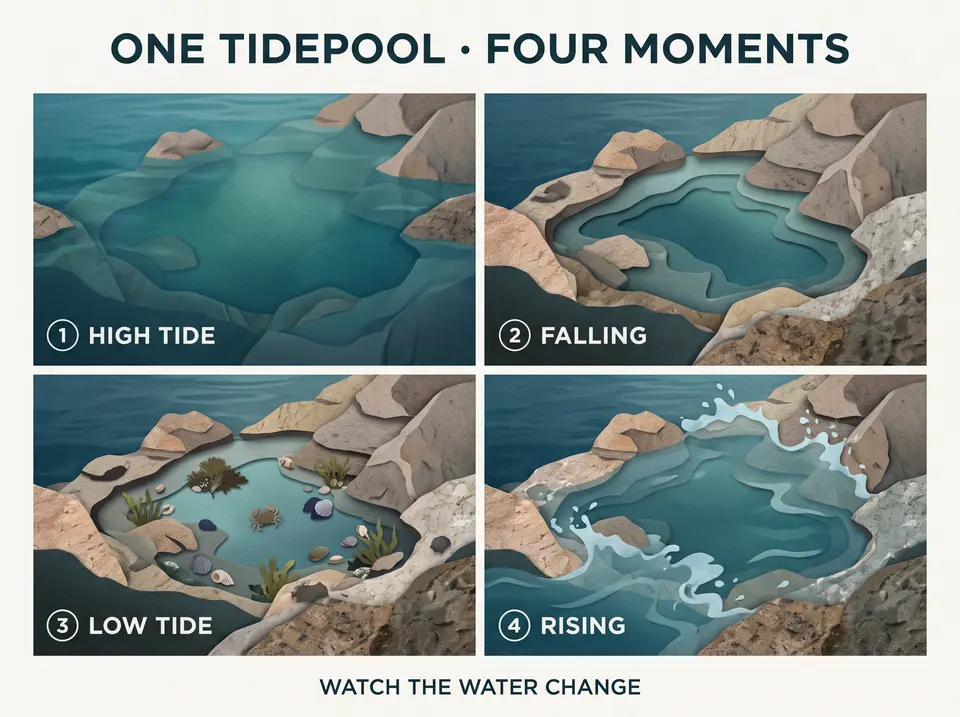
四格潮池视觉图,分别呈现高潮、falling、低潮与涨潮四个时刻
一个四格视觉图,带有精确的标签和明确的阅读顺序。
提示词

Create a polished 4:3 editorial explainer titled ONE TIDEPOOL · FOUR MOMENTS. The subject is the changing appearance of one rocky tidepool across a tidal cycle. This is a visual sequence, not a scientific textbook page. Use exactly four equal panels in a left-to-right reading order. Show the same tidepool, rock shapes, camera angle, and restrained natural palette in every panel while the visible water level changes. Render exactly this copy and no other text: ONE TIDEPOOL · FOUR MOMENTS 1 HIGH TIDE 2 FALLING 3 LOW TIDE 4 RISING WATCH THE WATER CHANGE Panel content: 1. HIGH TIDE — the pool and nearby rocks are mostly covered by clear blue-green water. 2. FALLING — the water recedes and more rock texture appears. 3. LOW TIDE — the contained pool is visible with small seaweed, shells, and one tiny shore crab. 4. RISING — a gentle incoming flow begins to cover the outer rocks again. Design: - Large title at the top, four compact panel labels, one short footer. - Contemporary natural-history editorial style using simple diagrams blended with tactile cut-paper and realistic textures. - Clear spacing, consistent icons, no arrows crossing text, no paragraphs, no legend, no logo, no watermark, and no extra annotations.

02 · 同一创意方向 · 多种画布适配

将同一创意方向适配至几乎所有画布尺寸

Nano Banana 2 包含标准横版与竖版格式,以及 4:1、1:4、8:1 和 1:8 格式。您可通过编辑工作流对选定方向进行重新构图,同时保持主体、服饰、配色方案及广告活动语言的一致性。

  • 标准比例
  • 极端比例
  • 参考图像重新构图
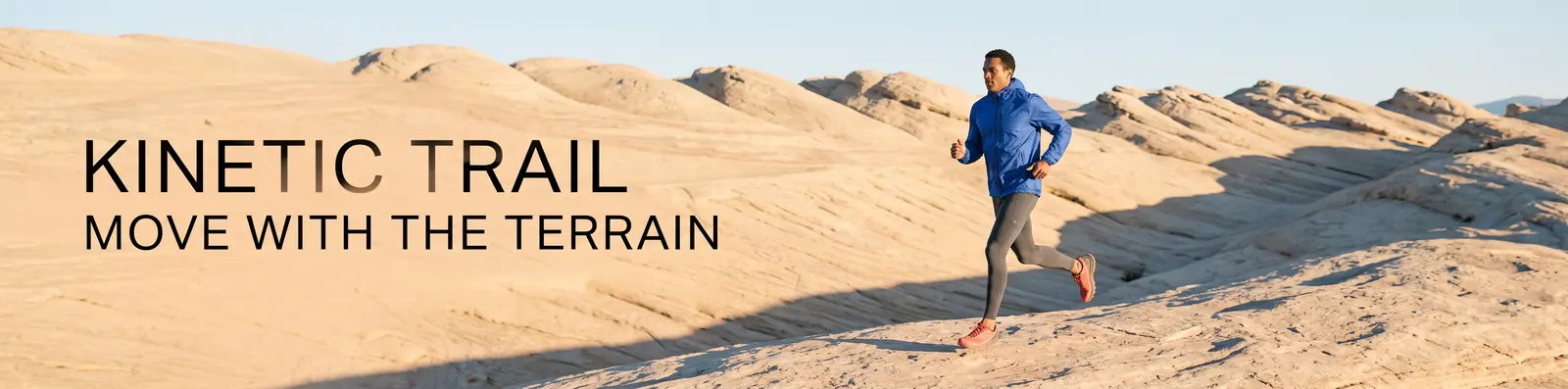
超宽幅动态轨迹广告活动,一位成年跑者穿越砂岩地形。
4:1 源图像
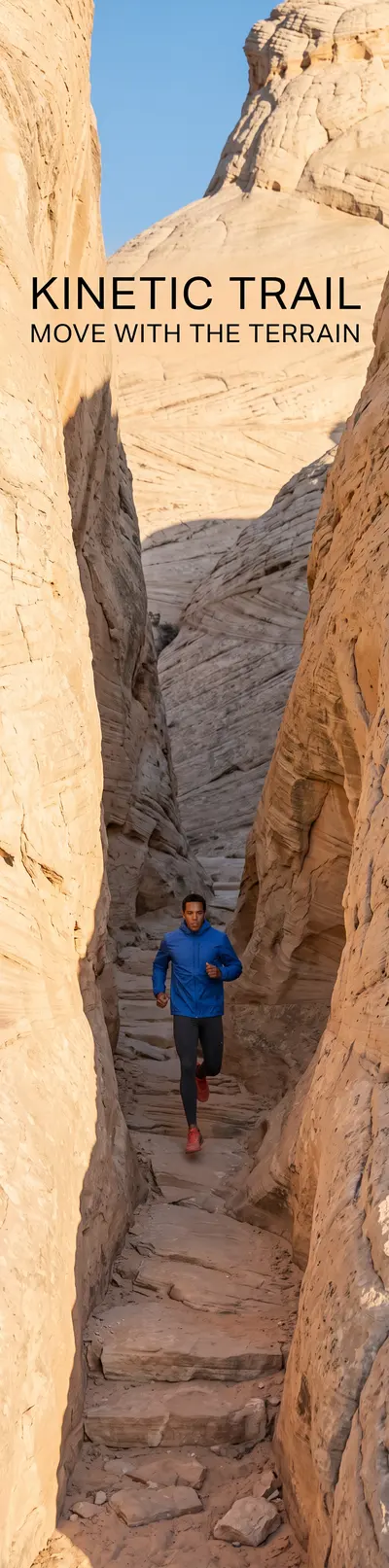
从超宽幅源图像重新构图的竖版动态轨迹广告活动。
1:4 重新构图

所选 4:1 方向已通过编辑端点为 1:4 画布完成重新构图。

提示词

Use Image 1 as the only visual source. Recompose the KINETIC TRAIL campaign as a new 1:4 vertical image; do not crop, stretch, rotate, or place the original image inside a frame. Preserve: - the same adult runner’s overall appearance; - the cobalt windbreaker, charcoal tights, and coral trail shoes; - the warm pale-sandstone environment; - the cool-cobalt and warm-sand palette; - the low sunrise direction and editorial photographic finish; - exactly the same campaign copy and spelling: KINETIC TRAIL MOVE WITH THE TERRAIN Recompose: - Place the runner in the lower-middle area moving upward through a tall sandstone passage. - Use the vertical rock walls and a narrow strip of sky to create depth through the full 1:4 canvas. - Place KINETIC TRAIL in the upper open area and MOVE WITH THE TERRAIN below it, with safe margins and strong readability. - Extend the environment naturally above and below the source direction. No additional people, clothing changes, logos, extra text, border, collage, duplicated limbs, or watermark.

03 · 多参考图像编辑

基于多张参考图像构建场景

为每张源图像明确分配任务:一张作为基础场景,一张提供特定物体,第三张提供某种材质或图案。随后需指明该物体的摆放位置、缩放比例、光影匹配方式,以及必须保留不变的细节。

  • 基础场景
  • 物体参考图像
  • 材质参考图像
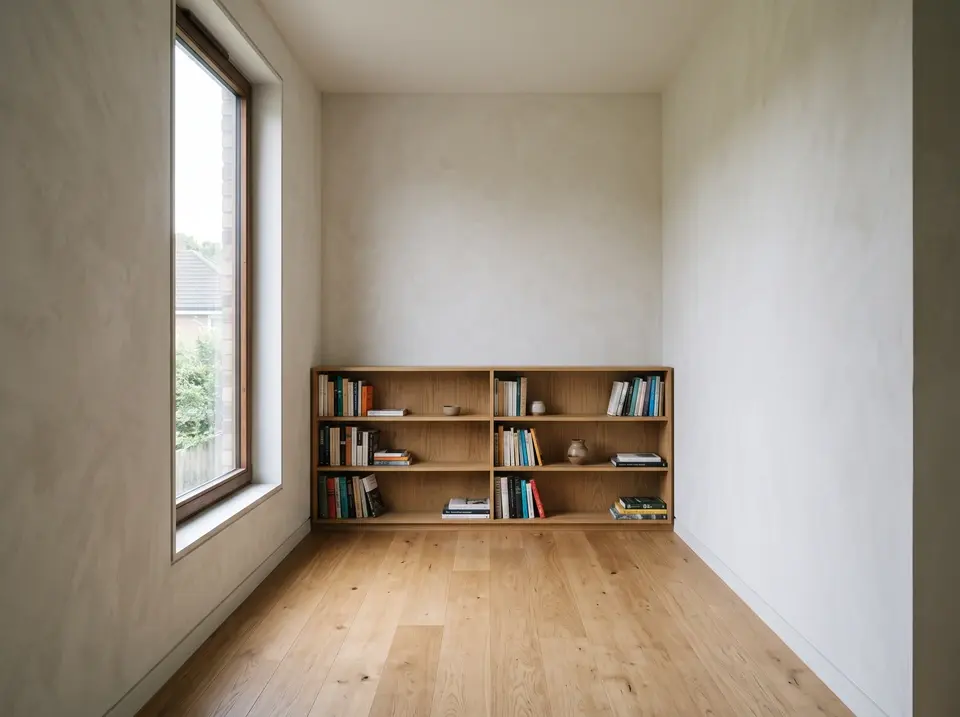
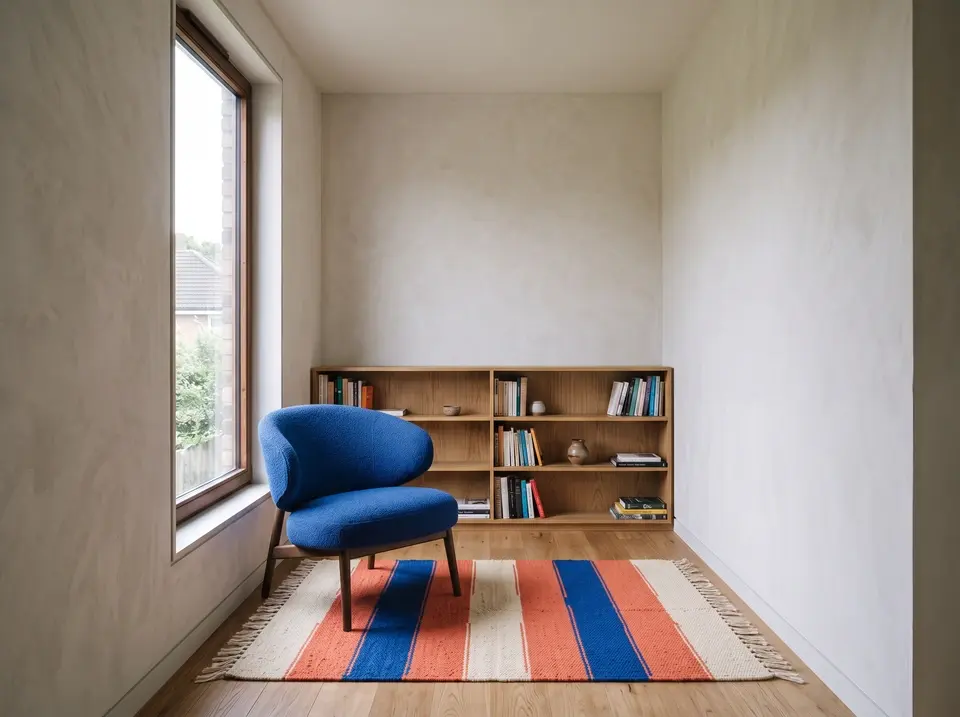
空旷的阅览室,橡木地板、嵌入式书架及晨光透过窗户洒入。
图像 1 · 基础房间
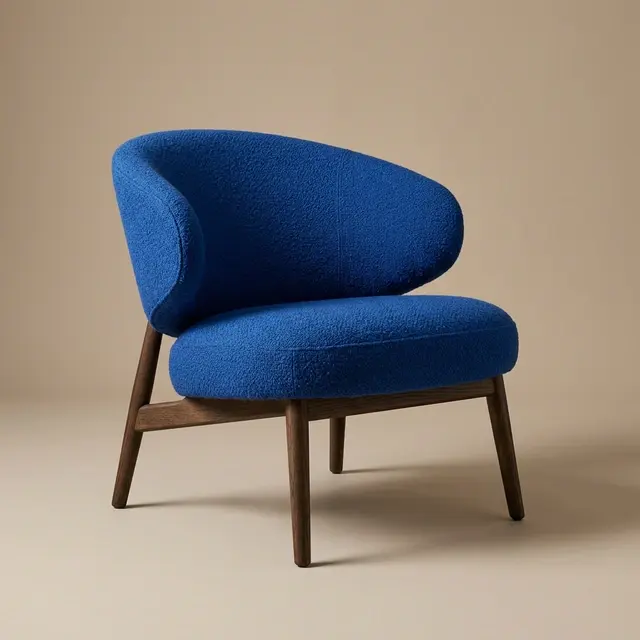
钴蓝色雕塑感休闲椅,置于中性影棚背景中。
图像 2 · 椅子
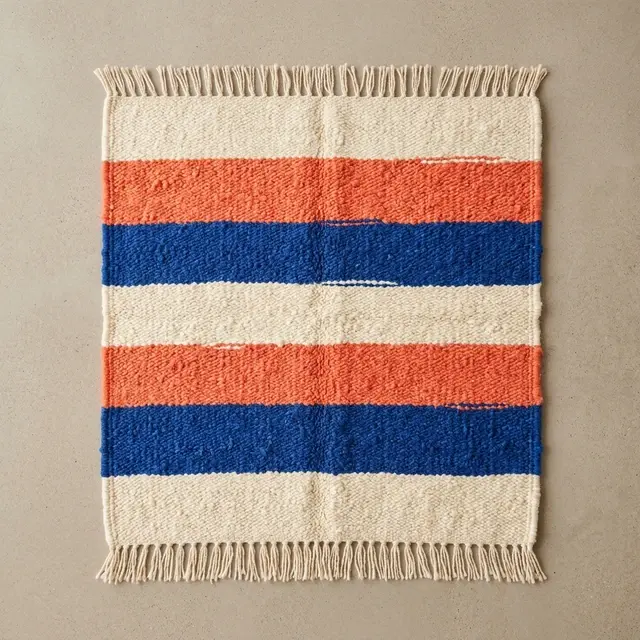
自上而下俯拍的手工编织奶油色、珊瑚色与钴蓝色条纹地毯。
图像 3 · 地毯
以两张参考图像为基础构建的阅览室:钴蓝色椅子来自一张参考图,条纹编织地毯来自另一张。
合成结果图像 1 设定房间场景;图像 2 和 3 分别提供椅子与地毯。
提示词

Use Image 1 as the base room. Use Image 2 only as the chair reference. Use Image 3 only as the rug reference. Build one photorealistic interior result: - Place the cobalt lounge chair from Image 2 in the empty seating area near the left window, angled slightly toward the bookcase. - Place the cream, coral, and cobalt rug from Image 3 beneath the chair, large enough to anchor the seating area without covering the entire oak floor. Preserve from Image 1: - the room geometry and wall positions; - the camera height, lens perspective, and framing; - the tall left window and its view; - the built-in bookcase and books; - the pale wall finish and warm oak floor; - the early-morning light direction. Match the chair and rug to the room with correct scale, perspective, contact shadows, soft window highlights, fabric texture, and floor occlusion. Do not redesign the chair or rug, change their colors, add another object, move the architecture, add people, add text, or create a collage. Output one continuous 4:3 room photograph.

提示词指南

先引导图像,再明确定义每个来源

有效的提示词应类似一份精炼的创意简报:明确任务名称、组织画面场景,并清晰列出需复现的文案或需保留的要素。

  1. 生成

    交付成果 → 主体 → 动作 → 场景 → 构图 → 镜头与光线 → 精确文案 → 输出

  2. 编辑

    图像角色 → 关系 → 修改或构建 → 保留 → 位置与匹配 → 输出

  • 命名交付成果。
  • 逐字引用简短文案。
  • 为每张参考图指定角色。
  • 将需修改内容与需保留细节明确区分开。
  • 描述位置、比例、透视与光线。
一位成年玻璃艺术家在晨光映照的工作室中塑形琥珀色玻璃。
提示词示例完整提示需明确定义任务、主体、场景、相机角度、光线、材质及排除项。
生成提示词

Create a 16:9 editorial photograph of an adult glass artist shaping amber glass in a quiet studio before sunrise. Frame the artist from waist height, keep the furnace glow on the right, use soft blue window light from the left, preserve realistic tools and heat reflections, and leave a calm area of negative space above the workbench. Photorealistic, 4K, no visible brand marks.

参考图编辑提示词

Use Image 1 as the base room. Add the cobalt chair from Image 2 beside the left window and place the striped rug from Image 3 beneath the seating area. Preserve the room geometry, camera position, wood finish, window view, and morning light. Match contact shadows, scale, perspective, and fabric texture. Output a 4:3 photorealistic interior.

Nano Banana 2 设置

选择匹配任务需求的输出控制参数,同时将提示词、参考图及上下文决策保留在同一任务内。

设置项可用选项
工作流文生图、图生图
分辨率0.5K、1K、2K、4K
长宽比自动、21:9、16:9、3:2、4:3、5:4、1:1、4:5、3:4、2:3、9:16、4:1、1:4、8:1、1:8
输出格式JPEG、PNG、WebP
参考图像图生图模式下最高支持 14
输出1、2、3 或 4
种子值可选整数
网络搜索关闭或开启
思考模式关闭、最低限度、高
上下文文件视频、音频、PDF,或图生图中支持的 YouTube 链接
默认1K、自动、PNG、1 输出、网络搜索关闭、思考模式关闭

分辨率、宽高比、格式及高级控制参数共享同一任务与实时报价。 模型文档.

Nano Banana 2 还是 GPT Image 2?

当需要覆盖广泛的宽高比、输出 0.5K–4K 格式、支持多参考图像构图,以及可选的网络数据驱动工作流时,请选择 Nano Banana 2;当质量控制和自定义尺寸工作流更契合任务需求时,请选择 GPT Image 2。两种模型均支持在共享工作台中进行图像生成与自然语言图像编辑。

决策Nano Banana 2GPT Image 2
最适配方案宽高比范围广且支持多参考图像构图以质量为导向的控制与自定义尺寸
输出尺寸设置0.5K、1K、2K、4K自动或自定义宽度与高度
宽高比控制自动宽高比 + 14 预设固定比例各模型常用宽高比
质量控制无自动、低、中、高
格式JPEG、PNG、WebPJPEG、PNG、WebP
探索 GPT Image 2

常见问题解答

关于 Nano Banana 2 图像生成、图像编辑、输出设置、参考图像及高级控制功能的快速解答。

Nano Banana 2 是什么?

Nano Banana 2 是 Google 的 Gemini 3.1 Flash Image 模型,专用于通过自然语言提示生成图像及指导图像编辑。本页面中,您可通过共享图像工作台使用该模型。

Nano Banana 2 是否等同于 Nano Banana Pro?

否。Nano Banana 2 指 Gemini 3.1 Flash Image,而 Nano Banana Pro 指 Gemini 3 Pro Image。二者是独立模型,具有不同的工作流与产品定位。

我可使用哪些分辨率和长宽比?

Nano Banana 2 支持 0.5K、1K、2K 和 4K 输出分辨率。您可选择‘自动’或从 21:9 至 1:8 中任一固定长宽比,包括横版、方形、竖版及极端比例格式。

我可以添加多少张参考图像?

“图生图”工作流最多支持 14 张参考图像。请在提示词中为每张图像明确指定其作用,例如:基础场景、主体对象、产品、纹理或材质方向。

支持哪些输出格式?

您可以将 Nano Banana 2 个结果导出为 JPEG、PNG 或 WebP 格式。PNG 是工作台中的默认格式。

Nano Banana 2 是否支持网络搜索或推理功能?

支持。当需求需要最新实时信息时,请开启网络搜索;如需更精细的视觉规划,可选择“最低”或“高”推理强度。提交前,工作台会显示当前可用的控制选项及预估运行成本。

使用 Nano Banana 2 创作

从新提示词开始,或将视觉参考图像导入编辑工作流。