NANO BANANA 2 · 生成&編集

Nano Banana 2 AI 画像ジェネレーター

Nano Banana 2、Google の Gemini 3.1 Flash Image モデルを用いて、新規画像の作成や直接的なビジュアル編集を行えます。素早い 0.5K コンセプトから 4K 出力へと移行し、15 種類のアスペクト比オプションに対応し、複数のビジュアル参照を1つのワークフローで統合できます。

  • 0.5K–4K 出力
  • 15 種類のアスペクト比オプション
  • 最大 14 点の参照画像
  • JPEG · PNG · WebP

Nano Banana 2 で作成

プロンプトまたはビジュアル参照から開始し、必要な画像出力に最も適した出力コントロールを選択してください。

モデルを選択
ワークフロー
0 / 2,000
画像を生成リアルタイム見積もり

画像結果

非公開で保存済み
履歴

Nano Banana 2 が生成できるものをご覧ください

これらのファーストパーティ成果物は、ワークベンチで利用可能な同一の Nano Banana 2 生成および編集エンドポイントを用いて、本ページ向けに作成されたものです。

当社提供の結果

形容詞の羅列ではなく、完成形(デリバーラブル)から始めましょう

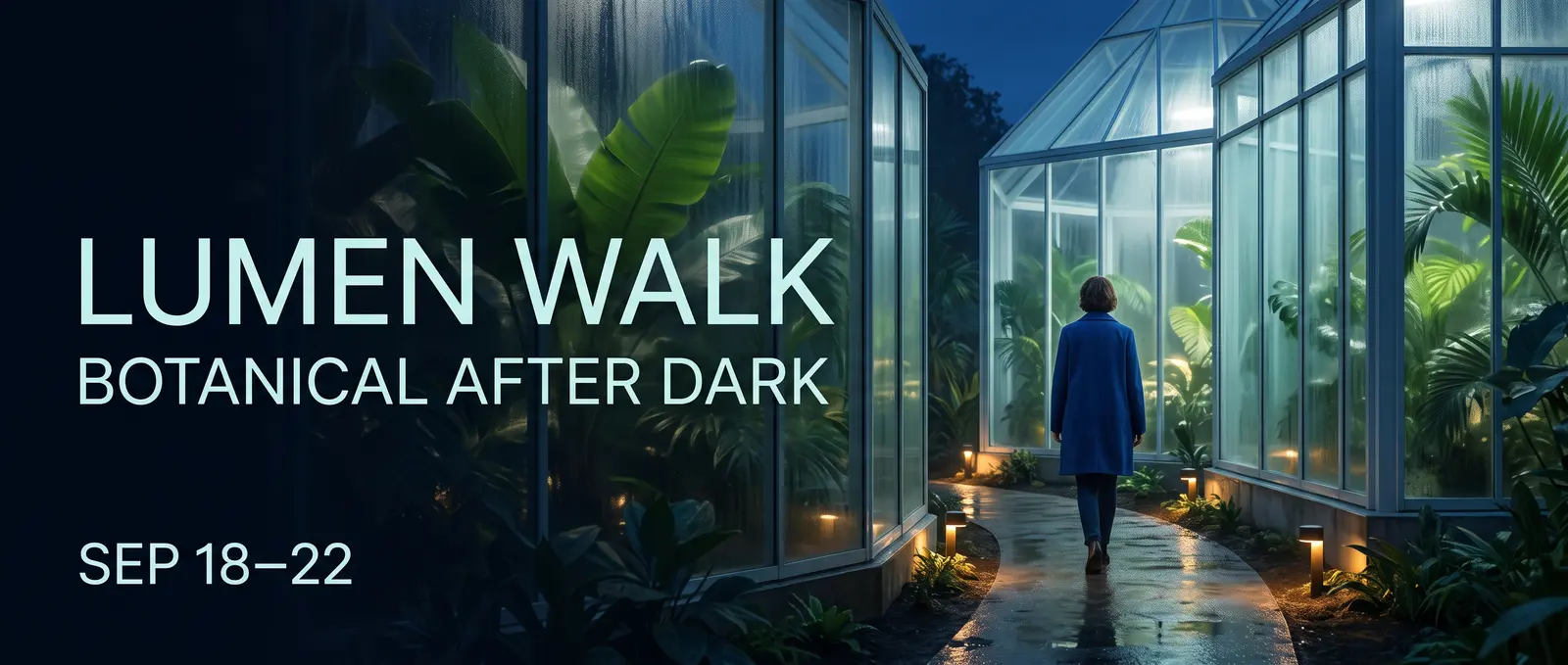
このキャンペーン用ビジュアルは、明確なフォーマット、架空のイベント、正確に3行のコピー文、および定義済みの読み順から始まります。その後、カメラ設定、ライティング、カラーパレット、余白(ネガティブスペース)によって、その仕事に基づいたクリエイティブな方向性が形成されます。
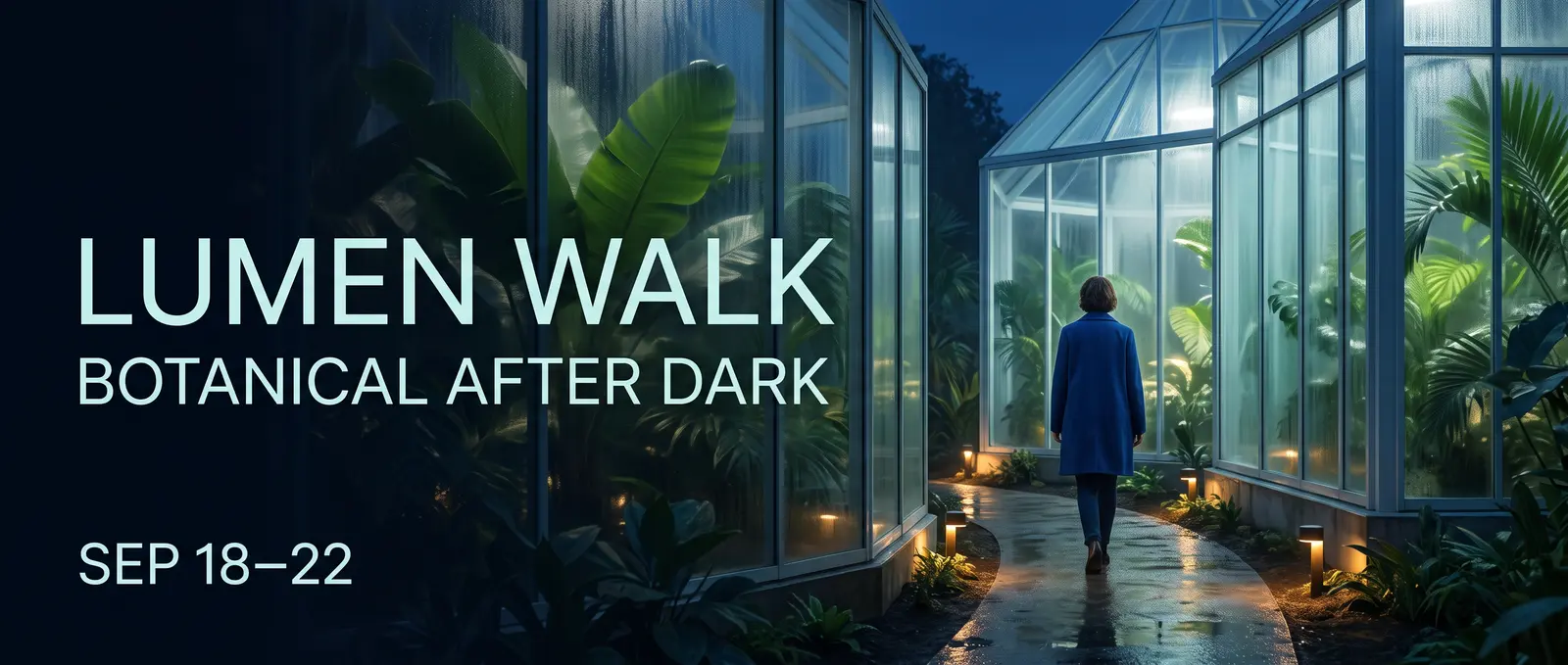
ガラス製コンサバトリー内における「Lumen Walk」ボタニカルナイトキャンペーン
構造化されたクリエイティブブリーフから生成された21:9フィクションキャンペーンビジュアル。AI生成・Nano Banana 2・当サイト制作
プロンプト

Create an ultrawide 21:9 editorial campaign banner for a fictional nighttime botanical event named LUMEN WALK. Deliverable and hierarchy: - A premium web campaign visual with one clear title, one supporting line, and one date line. - Render exactly these three lines and no other words: LUMEN WALK BOTANICAL AFTER DARK SEP 18–22 - The title must be the largest line, the supporting line second, and the date smallest. Keep every letter legible and correctly spelled. Scene: - A contemporary glass conservatory at blue hour, seen from a slightly low eye-level camera. - Luminous tropical leaves, soft condensation on glass, a narrow reflective path, and small pools of warm amber light. - One adult visitor in a simple deep-cobalt coat walking into the conservatory, viewed at a respectful distance, not a portrait. Composition and design: - Place the text as an integrated editorial layout in the left third. - Keep the adult visitor and brightest conservatory structure in the right two thirds. - Maintain generous negative space around all text and a clear left-to-right reading path. - Palette: midnight blue, botanical green, soft cyan glass, restrained amber highlights. - Refined contemporary sans-serif typography, no logos, no sponsor marks, no QR code, no extra text. Rendering: - Photorealistic environment with crisp foliage, realistic glass reflections, natural atmospheric depth, and controlled cinematic light. - Do not create a collage, frame, device mockup, website UI, border, watermark, or caption outside the designed campaign image.
01 · 情報量豊かなビジュアル

情報を視覚的な階層構造に変換

Nano Banana 2に対して、視聴者が最初に注目すべき要素、情報がどのようにグループ化されているか、およびどの短い文言を正確に含める必要があるかを明確に指示してください。定義されたパネル構造と限定されたテキスト量は、「分かりやすくする」という漠然とした指示よりも、インフォグラフィック、解説資料、またはキャンペーンカードの作成においてより強固な出発点を提供します。

  • 読み取り順序
  • 正確な短文(コピー)
  • パネル構造
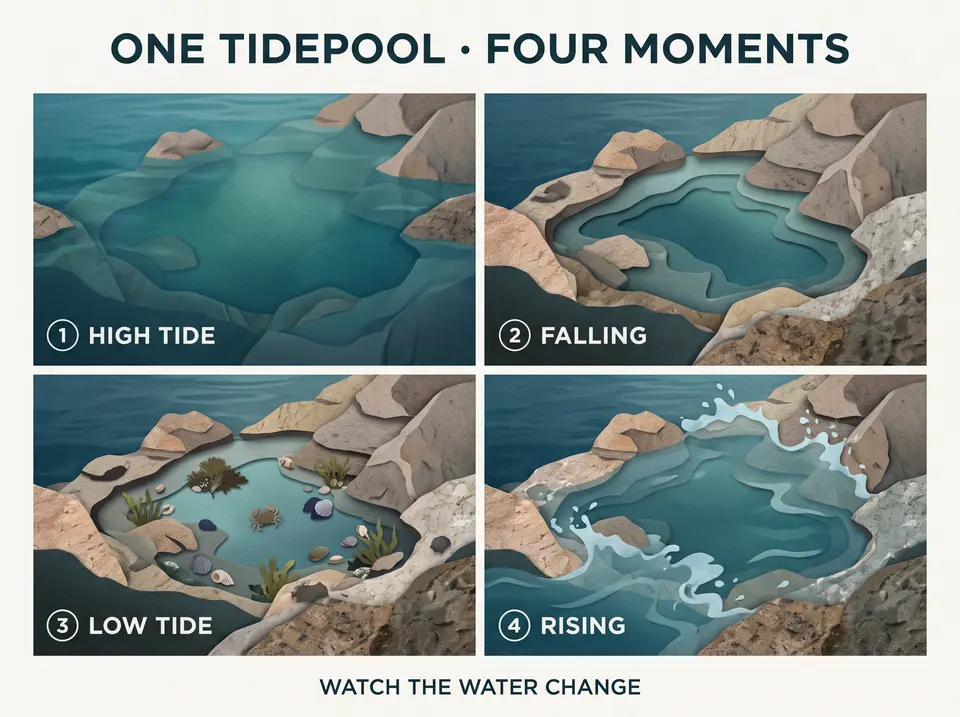
満潮、下げ潮、干潮、上げ潮の4つの瞬間を示す4パネル形式のタイドプールビジュアル
正確なラベル付けと明確な読み順で構成された4パネル形式のビジュアル
プロンプト

Create a polished 4:3 editorial explainer titled ONE TIDEPOOL · FOUR MOMENTS. The subject is the changing appearance of one rocky tidepool across a tidal cycle. This is a visual sequence, not a scientific textbook page. Use exactly four equal panels in a left-to-right reading order. Show the same tidepool, rock shapes, camera angle, and restrained natural palette in every panel while the visible water level changes. Render exactly this copy and no other text: ONE TIDEPOOL · FOUR MOMENTS 1 HIGH TIDE 2 FALLING 3 LOW TIDE 4 RISING WATCH THE WATER CHANGE Panel content: 1. HIGH TIDE — the pool and nearby rocks are mostly covered by clear blue-green water. 2. FALLING — the water recedes and more rock texture appears. 3. LOW TIDE — the contained pool is visible with small seaweed, shells, and one tiny shore crab. 4. RISING — a gentle incoming flow begins to cover the outer rocks again. Design: - Large title at the top, four compact panel labels, one short footer. - Contemporary natural-history editorial style using simple diagrams blended with tactile cut-paper and realistic textures. - Clear spacing, consistent icons, no arrows crossing text, no paragraphs, no legend, no logo, no watermark, and no extra annotations.

02 · 単一の方向性 · 複数のキャンバス対応

単一の方向性を、ほぼあらゆるキャンバス形式に再構成

Nano Banana 2には標準の横向き・縦向きフォーマットに加え、4:1、1:4、8:1、1:8が含まれています。編集ワークフローを活用して、選択した方向性を再構成しながらも、被写体、衣装、カラーパレット、キャンペーン用の言語表現を一貫して維持できます。

  • 標準アスペクト比
  • 極端なアスペクト比
  • 参照画像による再構成
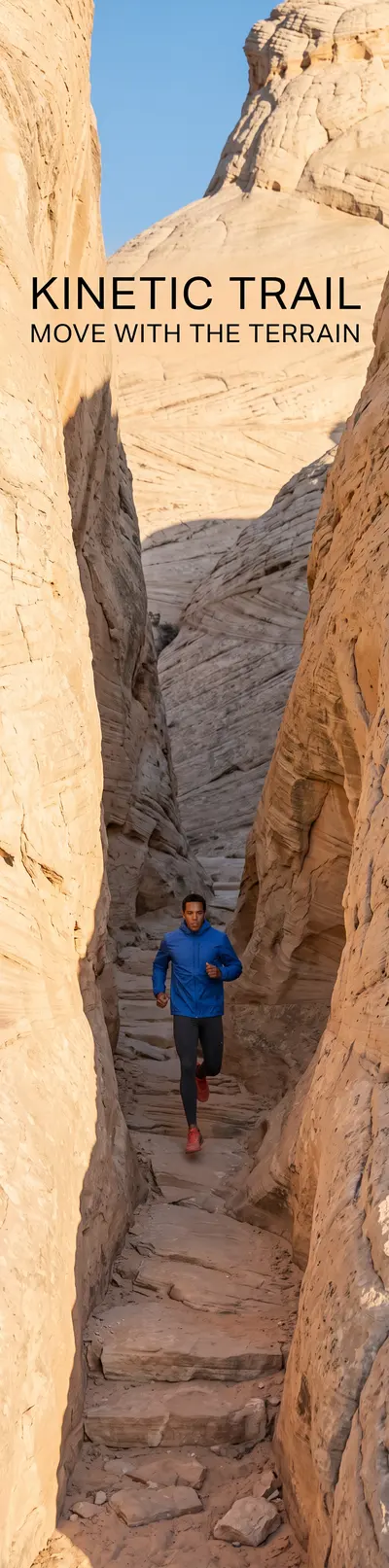
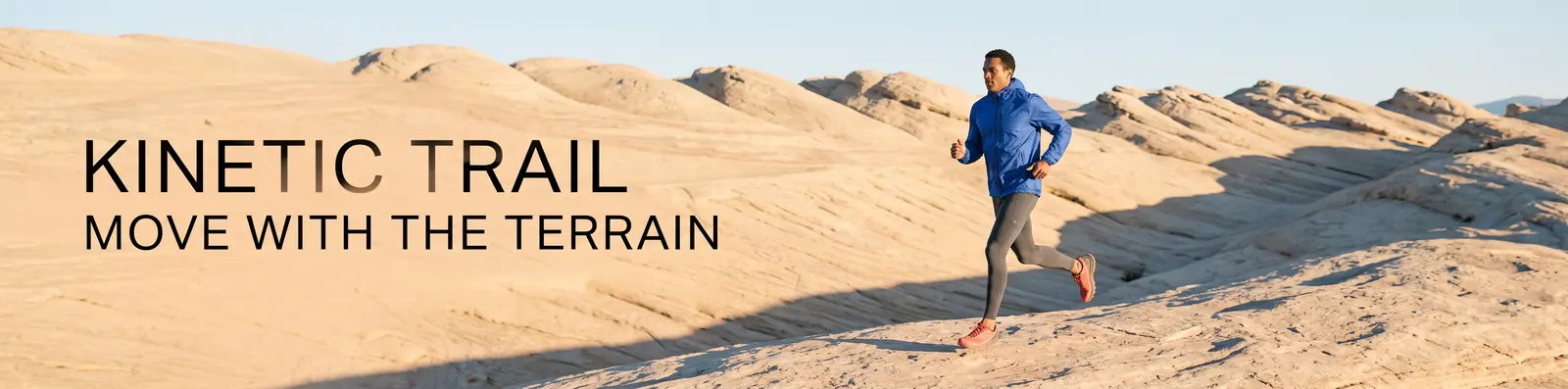
成人のランナーが砂岩地形を横断する「Ultrawide Kinetic Trail」キャンペーン
4:1ソース
超ワイドソースから再構成された縦長「Kinetic Trail」キャンペーン
1:4再構成

選択された4:1方向は、編集エンドポイントを通じて1:4キャンバス向けに再構成されました。

プロンプト

Use Image 1 as the only visual source. Recompose the KINETIC TRAIL campaign as a new 1:4 vertical image; do not crop, stretch, rotate, or place the original image inside a frame. Preserve: - the same adult runner’s overall appearance; - the cobalt windbreaker, charcoal tights, and coral trail shoes; - the warm pale-sandstone environment; - the cool-cobalt and warm-sand palette; - the low sunrise direction and editorial photographic finish; - exactly the same campaign copy and spelling: KINETIC TRAIL MOVE WITH THE TERRAIN Recompose: - Place the runner in the lower-middle area moving upward through a tall sandstone passage. - Use the vertical rock walls and a narrow strip of sky to create depth through the full 1:4 canvas. - Place KINETIC TRAIL in the upper open area and MOVE WITH THE TERRAIN below it, with safe margins and strong readability. - Extend the environment naturally above and below the source direction. No additional people, clothing changes, logos, extra text, border, collage, duplicated limbs, or watermark.

03 · 複数参照画像編集

複数の参照画像からシーンを構築

各ソース画像に明確な役割を割り当てましょう:1枚の画像をベースシーンとして使い、別の画像からオブジェクトを抽出し、さらに3枚目の画像からマテリアルやパターンを適用します。その後、配置位置、スケール、ライティングの整合性、および変更してはならないディテールを指定してください。

  • ベースシーン
  • オブジェクト参照画像
  • マテリアル参照画像
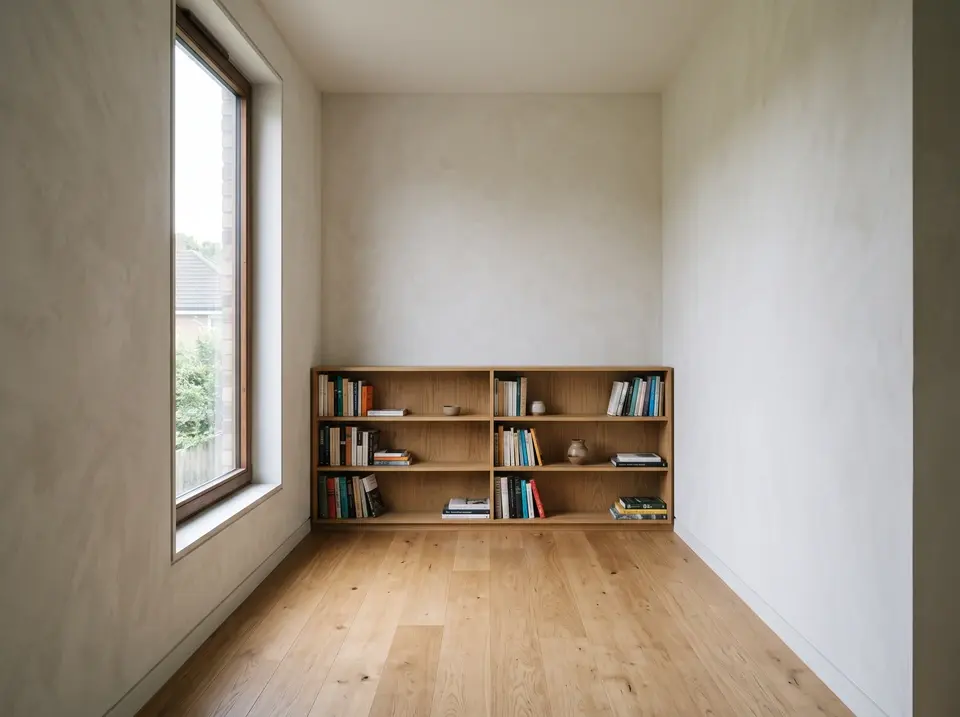
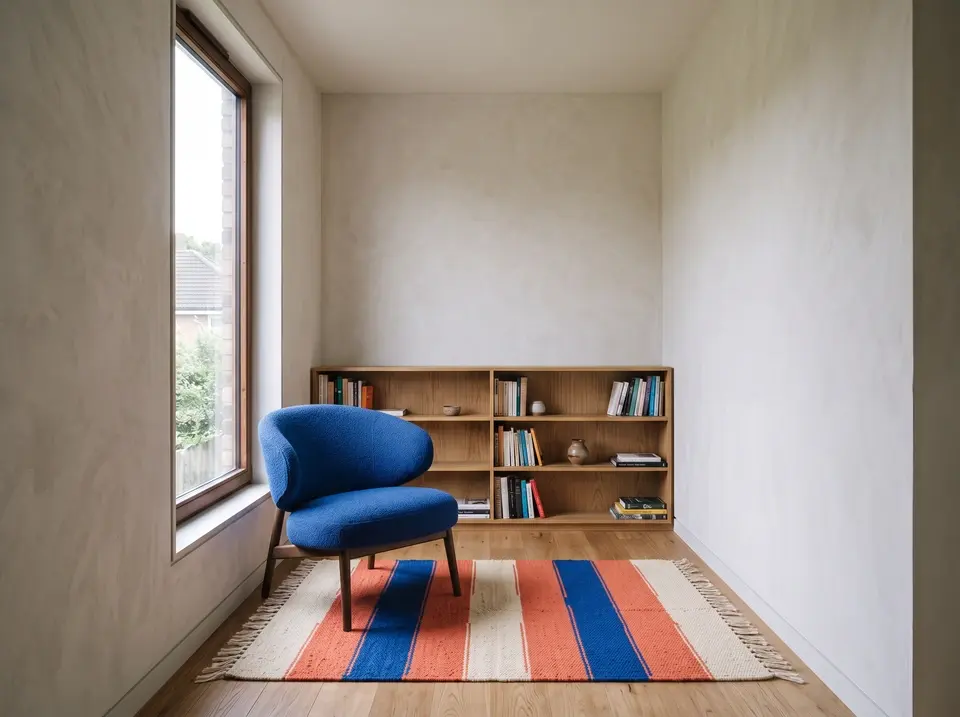
オーク材の床、ビルトインの本棚、朝日が差し込む窓のある空の読書室
画像 1 · ベースとなる部屋
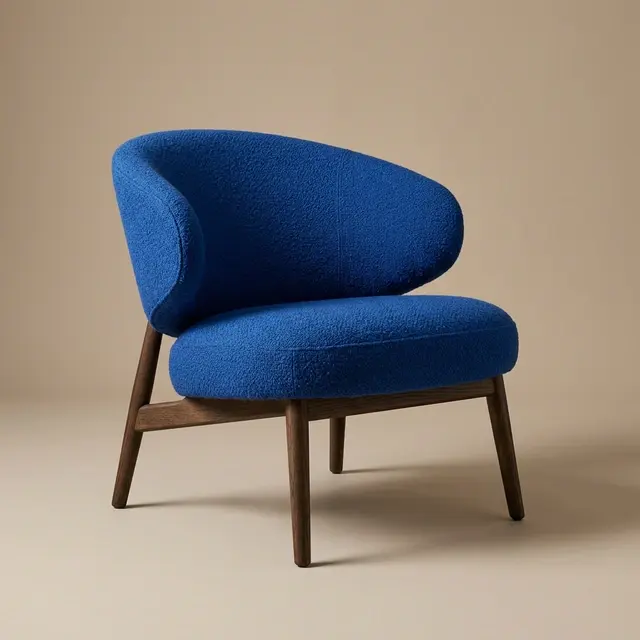
中性色のスタジオ背景に置かれたコバルトブルーの彫刻的なラウンジチェア
画像 2 · チェア
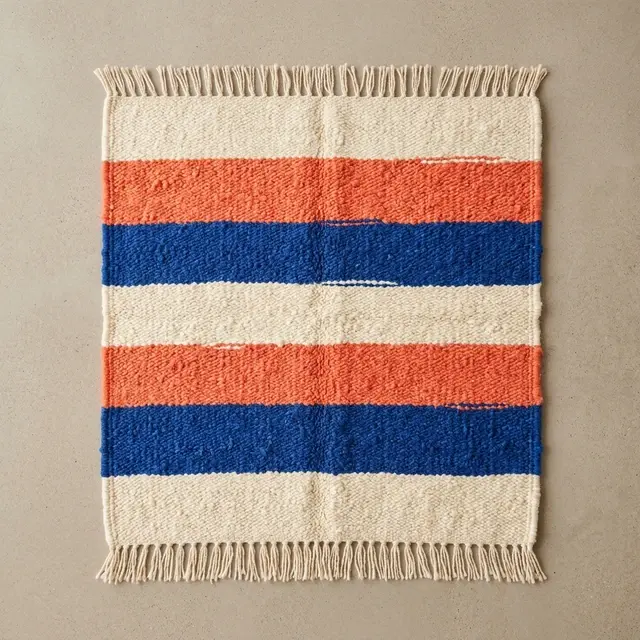
上から見た、クリーム色、コーラル、コバルトのストライプ柄手織りラグ
画像 3 · ラグ
2つのリファレンス画像からコバルトのチェアとストライプ柄の編み込みラグを組み合わせて構成された読書室
構成結果画像 1 が部屋を設定し、画像 2 および 3 がチェアとラグを提供します。
プロンプト

Use Image 1 as the base room. Use Image 2 only as the chair reference. Use Image 3 only as the rug reference. Build one photorealistic interior result: - Place the cobalt lounge chair from Image 2 in the empty seating area near the left window, angled slightly toward the bookcase. - Place the cream, coral, and cobalt rug from Image 3 beneath the chair, large enough to anchor the seating area without covering the entire oak floor. Preserve from Image 1: - the room geometry and wall positions; - the camera height, lens perspective, and framing; - the tall left window and its view; - the built-in bookcase and books; - the pale wall finish and warm oak floor; - the early-morning light direction. Match the chair and rug to the room with correct scale, perspective, contact shadows, soft window highlights, fabric texture, and floor occlusion. Do not redesign the chair or rug, change their colors, add another object, move the architecture, add people, add text, or create a collage. Output one continuous 4:3 room photograph.

プロンプトガイド

画像を指示した後、すべてのソースを明確に定義

実用的なプロンプトは、簡潔なクリエイティブブリーフのように読めることが望ましいです。仕事の名称を明記し、シーンを整理し、正確なコピー文や保持ルールを明示してください。

  1. 生成

    デリバーラブル → 主題 → アクション → 設定 → 構図 → カメラとライティング → 精確なコピー → 出力

  2. 編集

    画像の役割 → 関係性 → 変更または構築 → 保持 → 配置とマッチング → 出力

  • デリバーラブルの名称を明記します。
  • 短いコピー文は正確に引用します。
  • 各参照画像に役割を割り当てます。
  • 変更対象と保持対象を明確に分離します。
  • 配置、スケール、パースペクティブ、ライティングを記述します。
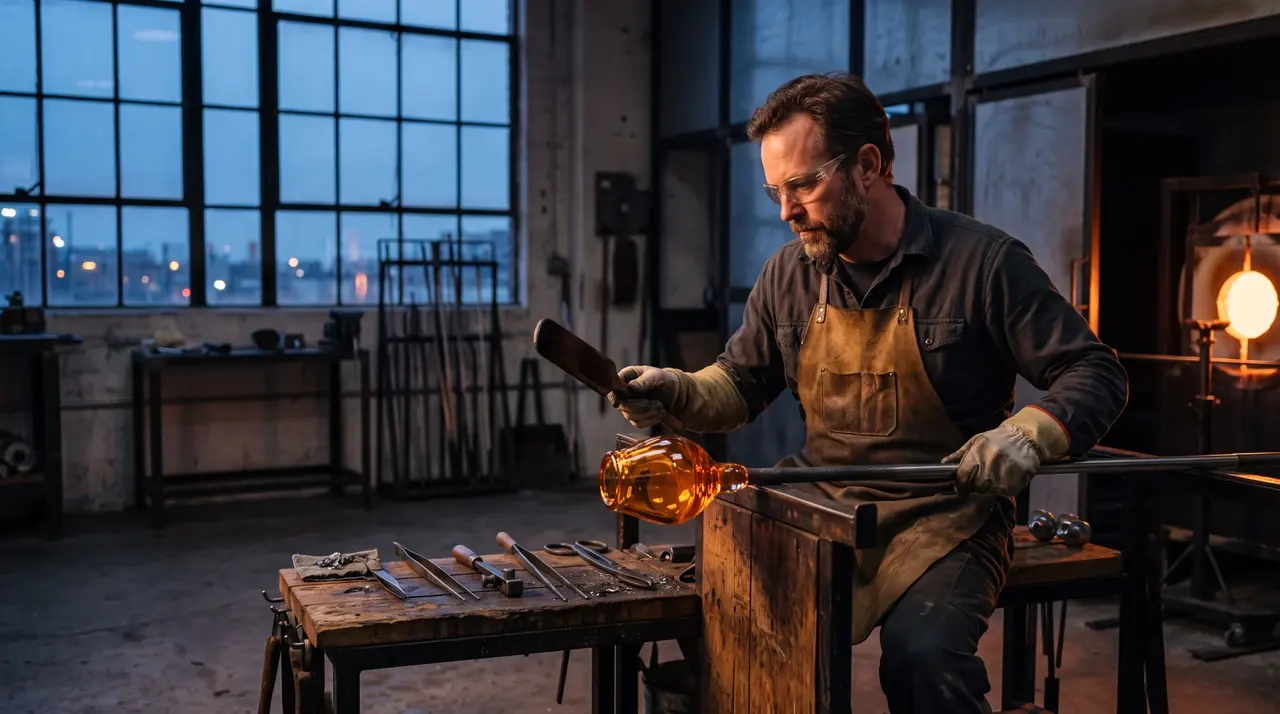
夜明けの光が差し込むスタジオでアンバー色のガラスを成形する大人のガラスアーティスト
プロンプトの例完全なプロンプトは、作業内容、被写体、シーン設定、カメラ設定、照明、素材、および除外事項を明確に定義します。
生成プロンプト

Create a 16:9 editorial photograph of an adult glass artist shaping amber glass in a quiet studio before sunrise. Frame the artist from waist height, keep the furnace glow on the right, use soft blue window light from the left, preserve realistic tools and heat reflections, and leave a calm area of negative space above the workbench. Photorealistic, 4K, no visible brand marks.

参照編集プロンプト

Use Image 1 as the base room. Add the cobalt chair from Image 2 beside the left window and place the striped rug from Image 3 beneath the seating area. Preserve the room geometry, camera position, wood finish, window view, and morning light. Match contact shadows, scale, perspective, and fabric texture. Output a 4:3 photorealistic interior.

Nano Banana 2 設定

仕事に最も適した出力コントロールを選択し、プロンプト、参照画像、コンテキストに関する判断をすべて同一タスク内で行いましょう。

設定利用可能なオプション
ワークフローテキストから画像へ、画像から画像へ
解像度0.5K、1K、2K、4K
アスペクト比自動、21:9、16:9、3:2、4:3、5:4、1:1、4:5、3:4、2:3、9:16、4:1、1:4、8:1、1:8
出力形式JPEG、PNG、WebP
参照画像画像から画像への処理では最大14まで
出力1、2、3、または4
シード任意の整数
Web検索オフまたはオン
思考モードオフ、最小限、高
コンテキストファイル動画、音声、PDF、または画像から画像への処理で対応するYouTubeリンク
デフォルト1K、自動、PNG、1出力、Web検索:オフ、思考モード:オフ

解像度、アスペクト比、ファイル形式、および高度なコントロールは、すべて同一タスクおよび実行時の見積もりに含まれます。 モデルのドキュメンテーション.

Nano Banana 2 か GPT Image 2?

幅広いアスペクト比対応、0.5K–4K 出力、複数の参照画像を用いた構成、およびオプションのウェブベースワークフローが重要な場合は Nano Banana 2 を選択してください。品質制御とカスタム寸法ワークフローがタスクに適している場合は GPT Image 2 を選択してください。両モデルとも、共有ワークベンチ上で画像生成および自然言語による画像編集をサポートしています。

判断Nano Banana 2GPT Image 2
最適な選択幅広いアスペクト比対応と複数参照画像による構成品質重視の制御とカスタム寸法
出力サイズ設定0.5K、1K、2K、4K自動またはカスタムの幅・高さ
アスペクト比制御自動+14 固定アスペクト比各モデルで一般的なアスペクト比
品質制御なし自動、低、中、高
フォーマットJPEG、PNG、WebPJPEG、PNG、WebP
GPT Image 2 を試す

よくあるご質問

Nano Banana 2 による画像生成・編集、出力設定、参照画像、および高度な制御に関する簡潔な回答。

Nano Banana 2とは何ですか?

Nano Banana 2は、自然言語によるプロンプトで画像生成および編集指示を可能にする、GoogleのGemini 3.1 Flash Imageモデルです。本ページでは、共有画像ワークベンチを通じてご利用いただけます。

Nano Banana 2はNano Banana Proと同じですか?

いいえ。Nano Banana 2はGemini 3.1 Flash Imageを指し、Nano Banana ProはGemini 3 Pro Imageを指します。これらは異なるワークフローとポジショニングを持つ別個のモデルです。

使用可能な解像度とアスペクト比はどれですか?

Nano Banana 2は0.5K、1K、2K、4Kの出力をサポートしています。アスペクト比は「自動」を選択するか、21:9から1:8までの固定比率(横長、正方形、縦長、極端なフォーマットなど)からお選びください。

参照画像は何枚まで追加できますか?

画像から画像へのワークフローでは、最大14枚の参照画像を追加できます。各画像には、プロンプト内で「ベースシーン」「被写体」「製品」「テクスチャ」「マテリアル方向」など、明確な役割を割り当ててください。

利用可能な出力形式はどれですか?

Nano Banana 2の結果をJPEG、PNG、WebP形式でエクスポートできます。ワークベンチではPNGがデフォルトの出力形式です。

Nano Banana 2はWeb検索や思考モードを利用できますか?

はい。依頼内容に最新の文脈が必要な場合はWeb検索を有効にしてください。また、より詳細なビジュアル計画が必要な場合は、「最小限」または「高」の思考モードを選択できます。ワークベンチでは、送信前に利用可能なコントロールと実行時のクォートが表示されます。

Nano Banana 2 で作成

新しいプロンプトから始めるか、編集ワークフローに視覚的な参照画像を取り込みます。